







AI Automation · Billing, Settings & Brand Kit
The control room. Billing, connections and your brand.
3 screens keep everything running. Billing: plan, usage, invoices. Settings: real connections and permissions. Brand Kit: the logo, colors and voice every department uses.
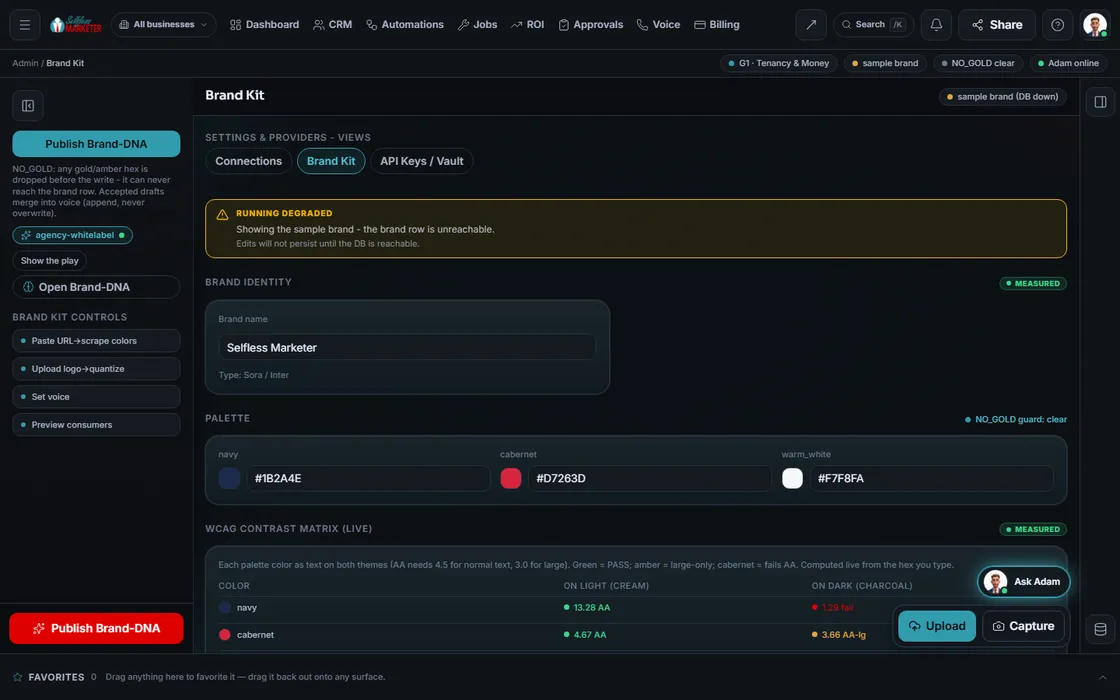 example data
What it is
Money, connections and brand, kept honest
Billing separates 2 kinds of money: your subscription and your customers' job invoices. Changes, pauses and cancels run in the secure Stripe portal. Late cards get a clear recovery path, not a surprise shutoff.
Settings shows each provider as live, degraded, down or not configured, from a real check. Free or owned options go before paid. Brand Kit is your Brand DNA: a brand doc yields colors, voice and banned words, each cited to its source, never overwriting approved work.
- Keys live in an encrypted vault: add, rotate, revoke
- Roles control who sees and changes what
- English and Spanish
Walk the screens
Setting up the control room
- 01
Fill in your Brand Kit You
Logo, colors, voice, banned words. Or drop a Word, PowerPoint, Excel or PDF brand doc.
- 02
Check contrast Your assistant
Each color as text on light and dark, scored for accessibility (4.5 for normal text, 3.0 for large).
- 03
Connect providers You
Phone, texting, email, payments, booking, ad accounts. Keys go in the vault.
- 04
Set up email sending You
Add the domain records (DKIM, Return-Path, DMARC) so mail sends as you.
- 05
Add your people You
Roles for your people are on the build list.
- 06
Check billing You
Plan, usage, invoices, and the Stripe portal for changes.
Everything included
What the 3 screens hold
Billing
- Current plan
- Usage (labeled Sample until per-business metering lands)
- Invoices
- Stripe hosted portal
Settings
- Live, degraded, down, not configured
- Free-first order
- Encrypted key vault
- Roles and access
- Sending-domain setup
- Consent defaults
Brand Kit
- Logo, colors, voice
- Banned words
- Contrast matrix
- Brand-doc import with citations
- Never overwrites approved facets
- Feeds Website, Content and SEO
Who runs it
YOUR TEAM with the OS, or OUR TEAM for you.
- Approve your brand
- Own your keys and accounts
- Manage your plan in the Stripe portal
- Checks every connection for real
- Tries free lanes first
- Keeps the 2 billing planes apart
- Feeds your brand to every department
- Builds your Brand Kit with you at onboarding
- Connects your tools and integrations
- Sets up roles for your team
Payments stay in test mode until live keys connect; no charge fires without approval. Costs: see pricing. With Done-For-You, we set this up with you.
On the way
Coming soon
These are planned and are not in the software yet. We list them so you know what is next.
Choose who can view or edit each area.
Coming soon: V2Keep going
Related pages
Try the OS
Our free trial is starting soon.
The same tools we use for our done-for-you clients. Our 7-day free trial is starting soon. Until then, book a call and a real person walks you through the OS. $997 a month, first month $497. No contracts.

YOUR TEAM runs it with the OS, or OUR TEAM runs it for you with Done-For-You. Not sure? Which one fits me?