






Mission Control
Where do I stand? One screen answers it.
The OS home screen reads all 6 departments: how the business is doing, what needs you, what to run next. Then it waits for your OK.
 demo business
What it is
One glass over everything you run online
Your marketing likely lives in 10 to 20 places. 7 logins. 4 invoices. Each tool keeps its own numbers. So nobody can answer your real question: how is the business doing right now?
Mission Control answers it at login. It reads Website, Social, SEO, Ads, Content and Back Office, then gives you one verdict, one ranked to-do list and one money board.
It answers 5 owner questions: Where do I stand? Am I ready? What's the plan? How does it connect? What's on the office TV? One page rebuilds around each question.
For the owner who wants the full picture over coffee, and the office manager running the day. Run more than one location? Ask us about a multi-location setup.
example dataWalk it
The 5 questions, screen by screen
Each question is its own view. Start at the top or jump in. Your assistant is one tap away everywhere.
- 01
Where do I stand? Your assistant
One verdict on the whole business.
example data - 02
Am I ready? Free
Launchpad shows which departments are live and connected.
example data - 03
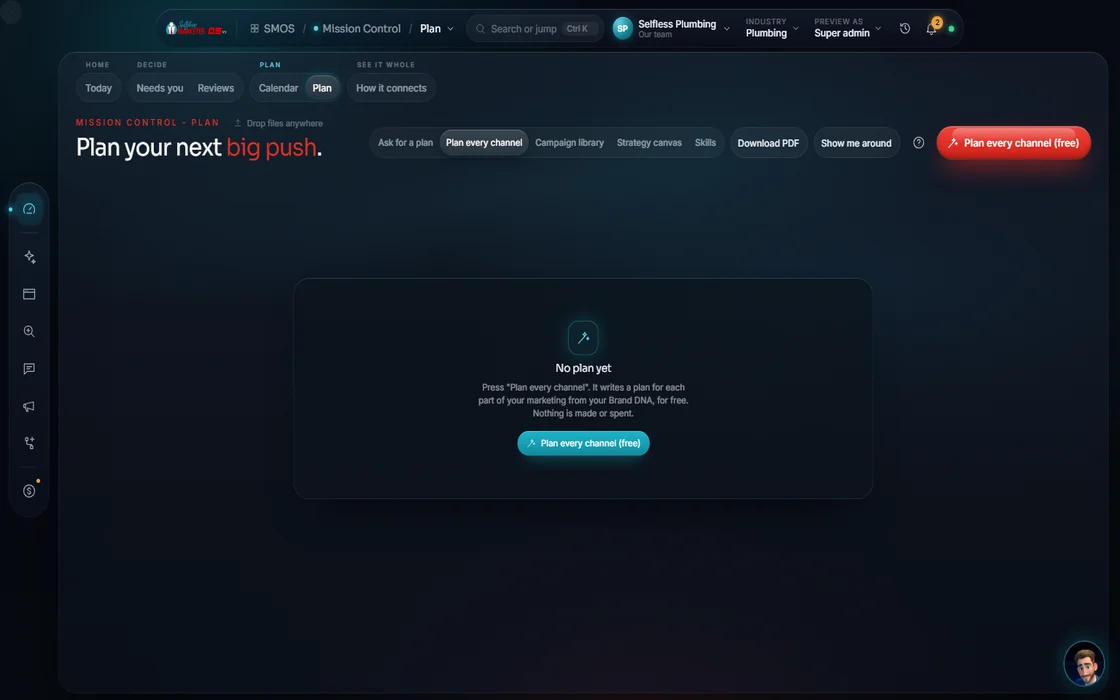
What's the plan? Free
The Strategy Board: Full plan, Local launch, Reputation, Lead-gen funnel, Storm response, New-patient funnel, Beat-the-heat.
 example data
- 04
How does it connect? Your assistant
The Command Graph: department orbs with live counts, linked by real lines. Ask what feeds your site or what's disconnected.
example data - 05
On the wall
TV Mode: an office display of revenue, leads, reviews, 5-star reviews and calls, each number labeled, plus scheduled posts and live activity.
example data - 06
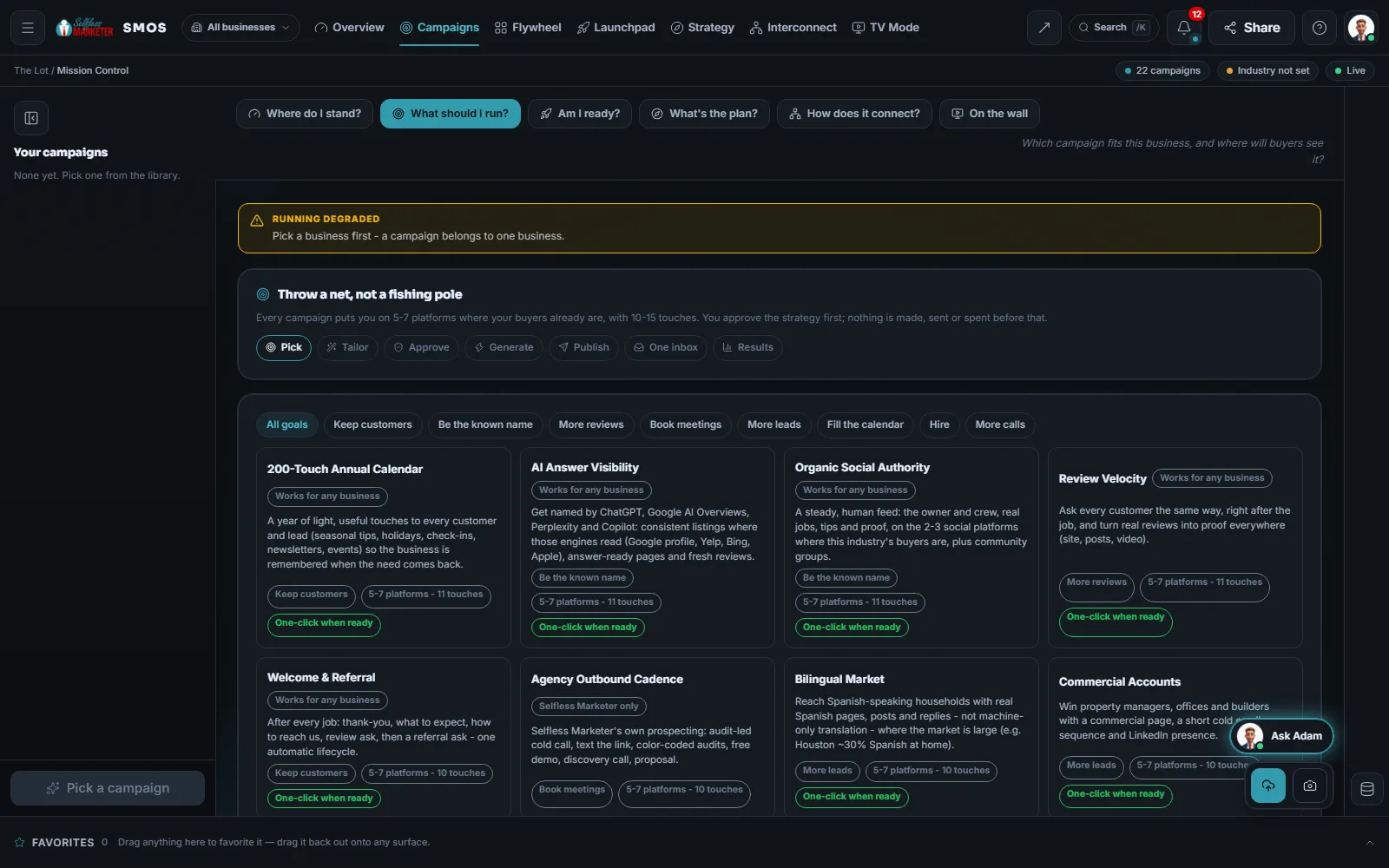
Pick a campaign Approve
The campaign library: 21 ready-made plans for your business.
 example data
Everything included
Everything Mission Control includes
Nothing summarized away. Every count here is a Product fact: what the software has today.
The 5 questions
- Where do I stand? (Mission Control)
- Am I ready? (Launchpad)
- What's the plan? (Strategy Board)
- How does it connect? (Command Graph)
- On the wall (TV Mode)
Where do I stand? panels
- The verdict band: the state of the whole business in one line
- Focus queue: Needs you now · Should do · When you can
- Money board: revenue, open pipeline, ad return and reviews, each number labeled
- Signal river: one line per real change, never invented
- Department orbs with live counts, plus a readiness board
- A readiness board shows what each department still needs
- A widget board you can resize and rearrange
- Run more than one location? Ask us about a multi-location setup
The 7 views
- What needs me today?
- How is the money?
- What changed since yesterday?
- Plan my next move
- What is running right now?
Planning
- “Plan the week”: free, makes nothing until you say go
- Will run / Needs connect / Est. cost on every move
- Preview blast radius ($0): a read-only dry run
- Running for real writes drafts only, behind your OK
21 campaign templates for your business
- Map Pack Domination (calls)
- Review Velocity (reviews)
- Customer Reactivation (bookings)
- Storm & Emergency Response (calls)
- Seasonal Tune-Up Drive (bookings)
- Maintenance Club Launch (repeat customers)
- Mass Video SEO Net (leads)
- Paid Search Capture (calls)
- Paid Social Offer (leads)
- YouTube Value Ads (leads)
- Organic Social Authority (authority)
- Neighborhood Presence (authority)
- AI Answer Visibility (authority)
- Lead Magnet Funnel (leads)
- Welcome & Referral (repeat customers)
- Repair-or-Replace + Financing (leads)
- Bilingual Market (leads)
- Commercial Accounts (business buyers)
- Hiring Drive
- 200-Touch Annual Calendar (repeat customers)
- New Location / Service-Area Launch
How every campaign works
- “Throw a net, not a fishing pole”: 5–7 platforms, 10–15 touches
- Platforms picked from the 178-platform map by industry fit, buyer intent, your local market, what's already connected and what can post automatically
- Dated touches from day 0 to day 30
- The pages it adds to your website
- Results tracked with their source
- Compliance built in: FTC, TCPA (texting and calling rules), CAN-SPAM (email rules)
- Gates: strategy approval → send after OK (consent, STOP and quiet hours re-checked) → spend is always a separate request → publish after OK
- One click only when every input is known, nothing is spent and every platform is connected
Under every department
- 3-tier context boot: General → Industry → your Brand DNA
- A self-growing memory: picks, winners and approvals written back
- Brand DNA flowing into every department
- One approvals queue, one inbox, one calendar, one graph
- Send-To hand-offs carry a piece from one department to the next by reference
- Model & Mode Router: free engines first, metered only with approval
- Reports in each department
- Every number labeled: measured, derived, modeled or declared (Real, Estimate or Sample on your screen)
TV Mode
- Revenue
- Leads (30 days)
- Reviews and 5-star reviews (30 days)
- Calls (30 days)
- Scheduled posts
- Live activity as real events land
- Point it at any one business
The rules it follows
- Know the money: Paid and closed-won revenue, open deals, return on ad spend and new reviews, gathered from the CRM, ROI and ads. A department that isn't connected shows an honest “connect” prompt, never a made-up number.
- Get ready: Launchpad lists what's live and what needs a connection. “Plan the week” assembles the full context and drafts the week for $0, producing nothing until you say go.
- Preview: A read-only dry run of every page, post and ad a plan would touch, which ones need a connection, and what they'd cost. Nothing is run or charged.
- Run a campaign: Pick → Tailor → Approve → Generate → Publish → One inbox → Results. Every input names its source, gaps are asked in your words, and spend is always a separate request.
- Watch competitors: Competitor Watch: list your rivals and compare them side by side; it saves their pages every day and a scan shows what changed
- Connect the dots: The Command Graph: one change, every department knows. A line lights up only when its real hand-off fires. No invented links.
- Learn: Every action reads the 3 tiers before your assistant plans, and every result writes back, so the plans look more like your business each week.
The engines behind it
- Claude: Plans and writes in your voice; the primary writer (owned seat)
- Qwen3 8B: Offline drafting; the always-available floor (local, $0)
- Llama 3.1 8B: Local reasoning and call summaries (free engine, $0)
- bge-m3: Search across your knowledge base, with cited answers (local, $0)
- Postgres + row-level security: Holds your records, walled off from every other business (local, $0)
- Playwright: Renders reports and PDFs (local, $0)
- See every engine in this group
Who runs it
YOUR TEAM with the OS, or OUR TEAM for you.
- Read the verdict and the focus queue (about 20 minutes a day covers it)
- Approve plans, campaigns and anything that publishes, sends or spends
- Connect your accounts so estimates turn into real numbers
- Say go
- Reads every department and writes the verdict
- Ranks what needs you by severity, value and recency
- Drafts the week, the quarter and the growth plan for $0
- Tailors campaigns from what it already knows
- Shows a $0 dry run before anything runs
- Labels every number Real, Estimate or Sample
- Runs Mission Control for you, as your marketing department
- Your project manager works the focus queue with you: one point of contact
- Everything the team does lands on your board as it happens
- Weekly reports by email and a monthly 1-hour call, as needed
Adam is our brand character. Inside your OS, your assistant plans and drafts; you decide. On Done-For-You, our team runs it and you watch it happen.
Proof
Built to tell you the truth
Built: verdict, focus queue, money board, signal river, Launchpad, Strategy Board, Command Graph, TV Mode, campaign library. Graph and money board fill as accounts connect, and say so until then.
On the way
Coming soon
These are planned and are not in the software yet. We list them so you know what is next.
A thin strip on every page that shows what is running and what to do next.
Coming soon: V2Each department card shows pictures of your own latest work.
Coming soon: V2A soft ripple shows which department a real event just touched.
Coming soon: V2One button handles the simple, low-risk tasks on your list after you say OK.
Coming soon: V2Choose the answer style and have a second check before you use it.
Coming soon: V2Your assistant can take the steps for you, then hand back for your OK.
Coming soon: V3Go deeper
Every Mission Control page
Each screen has its own page with its own walk-through.
Where do I stand?The verdict, focus queue, money board and signal riverLaunchpadWhat's live, what needs a connection, and “Plan the week”Strategy BoardPlan the quarter and preview the blast radius for $0Command GraphHow every department connects, and what's disconnectedTV ModeYour numbers on the office wallThe campaign libraryAll 21 campaign templates, touch by touchQuestions owners ask about Mission Control
Do I have to check Mission Control every day?
No. The focus queue shows what needs you; you approve each fix. Most owners spend about 20 minutes a day. On Done-For-You, our team works it with you.
Are the numbers real?
Only from sources you connected. Each number is labeled Real (measured), Estimate (worked out) or Sample (shows how it reads). Unconnected departments say “connect” instead.
Can Mission Control change things on its own?
No. It plans and drafts. Anything that publishes, sends or spends waits in approvals for your OK.
What does the blast radius preview do?
A free dry run: every page, post and ad a plan would touch, what needs connecting, and the cost. Nothing runs or is charged.
I have more than one location. Does it handle that?
Ask us about a multi-location setup. Data stays walled off per business.
Can I put it on the TV in my shop?
Yes. TV Mode is built for the office wall: revenue, leads, reviews, calls, scheduled posts and live activity, updated as events land.
Keep going
Related pages
Try the OS
Our free trial is starting soon.
The same tools we use for our done-for-you clients. Our 7-day free trial is starting soon. Until then, book a call and a real person walks you through the OS. $997 a month, first month $497. No contracts.

YOUR TEAM runs it with the OS, or OUR TEAM runs it for you with Done-For-You. Not sure? Which one fits me?