







Content
From A to Z. One idea becomes a week.
Content makes the words, pictures, video and sound. One idea to your assistant becomes images and a short video, plus a plan for the week's posts and email, in your voice, checked before anything leaves. Every department reuses it.
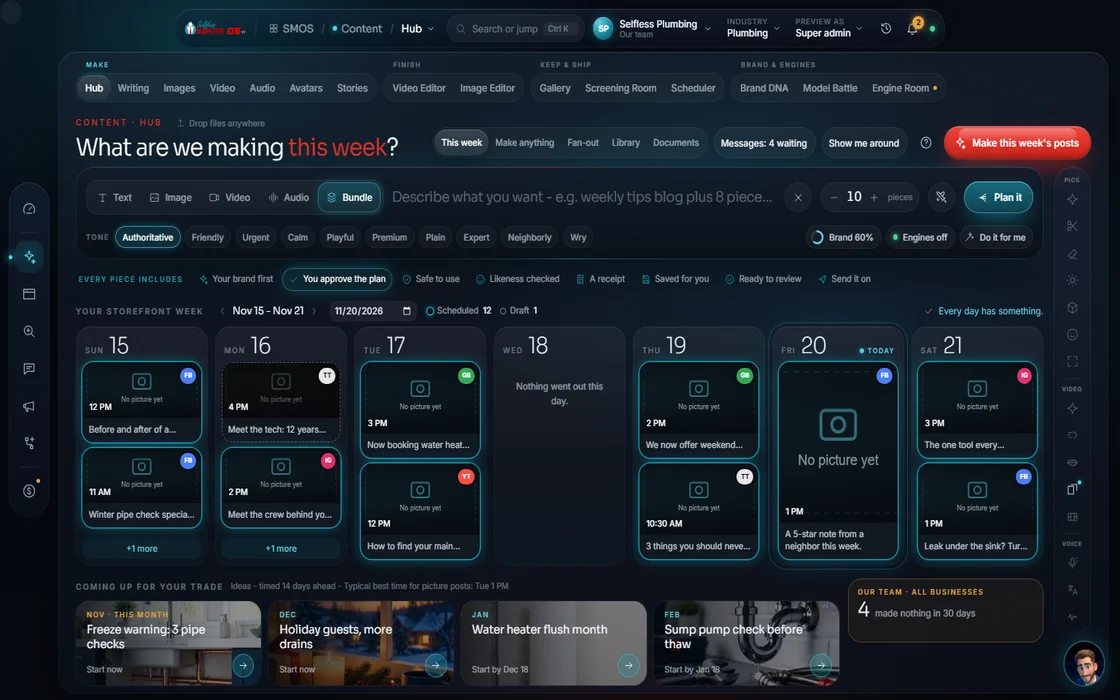 demo business
What it is
A production company in one login
Most owners juggle a design app, video editor, writing tool and a freelancer or two, each with its own login and bill, none knowing your offer, voice or last posts. So your brand looks different everywhere.
Content puts the whole production company in one place: Writers' Room, Image Studio, Video Studio, Story, Finishing Bay, Scoring Stage, Screening Room, Vault and Dock. All read your Brand DNA, so a truck wrap, reel and email all sound like you.
Work follows the same 7 layers: idea → structure → context → a visible plan → generate → review → edit. You see plan and cost first; free engines go first, premium only with your approval. More on how it works.
For owners without hours to make content. On Done-For-You: “Just send us pictures or videos from your work and we do the rest.”
 example data
Walk it
Walk the wizard
Start at the Hub with one idea. Every studio is a tap away; every piece ends checked, approved and on one calendar.
- 01
Tell your assistant the idea Free
A post, a campaign or a whole week, in plain words.
example data - 02
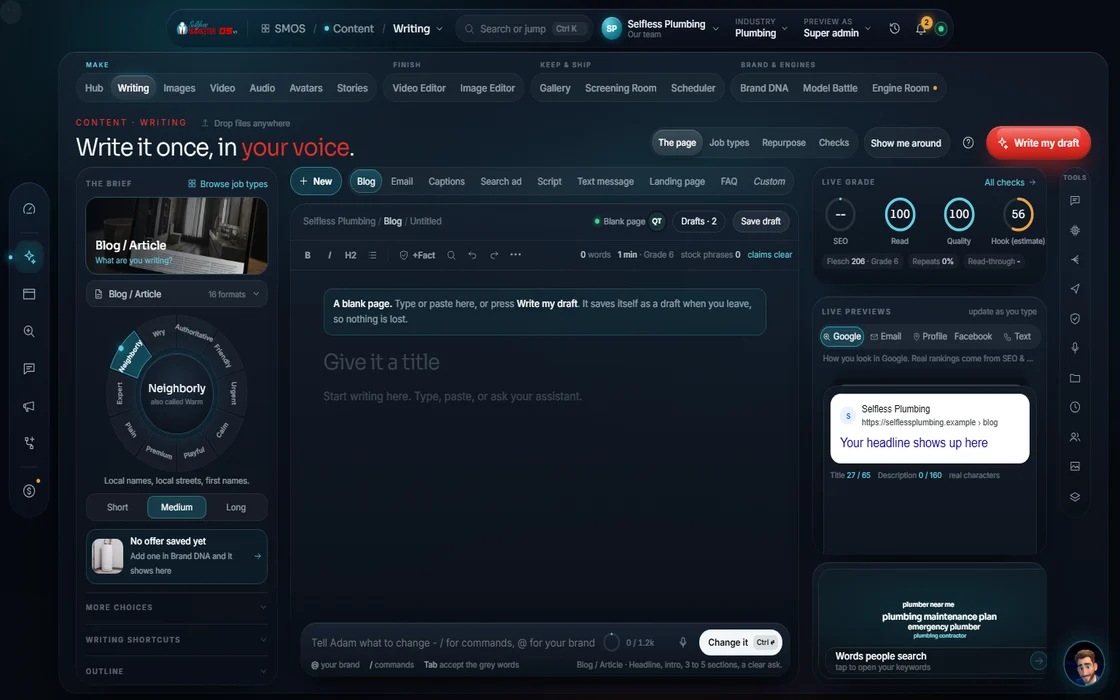
The Writers' Room
Blogs, captions, emails, ads, scripts and press releases in your voice. Any number or promise not tied to a real fact is blocked.
 example data
- 03
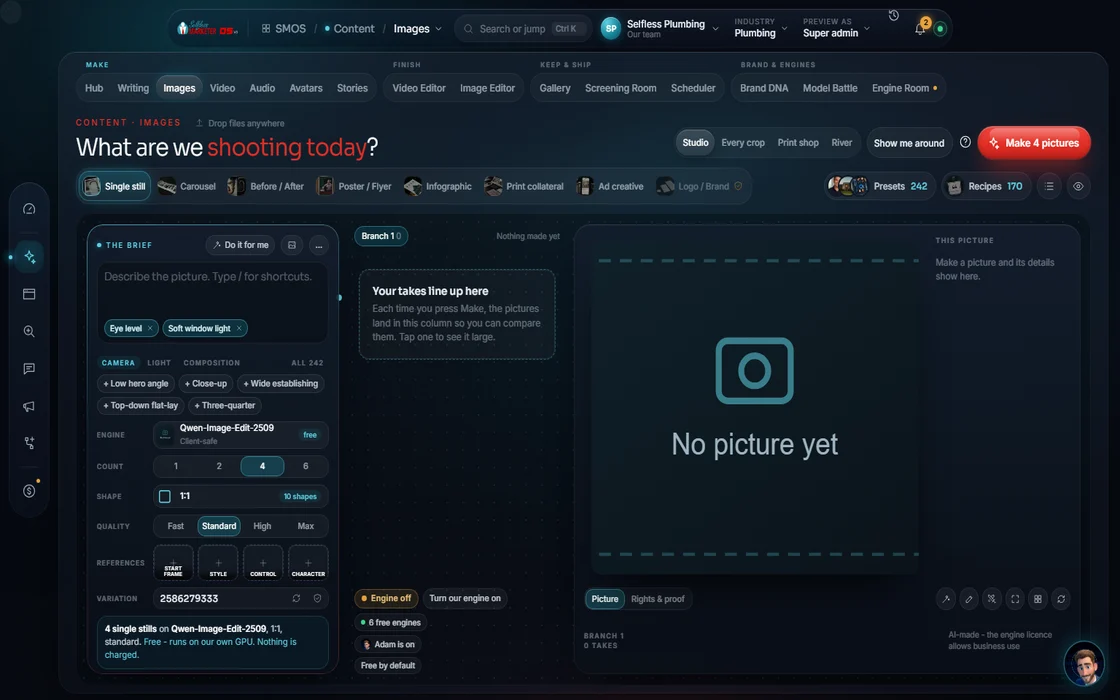
Image Studio
24 ready looks and a 9-part prompt builder for door hangers, truck wraps and yard signs.
 example data
- 04
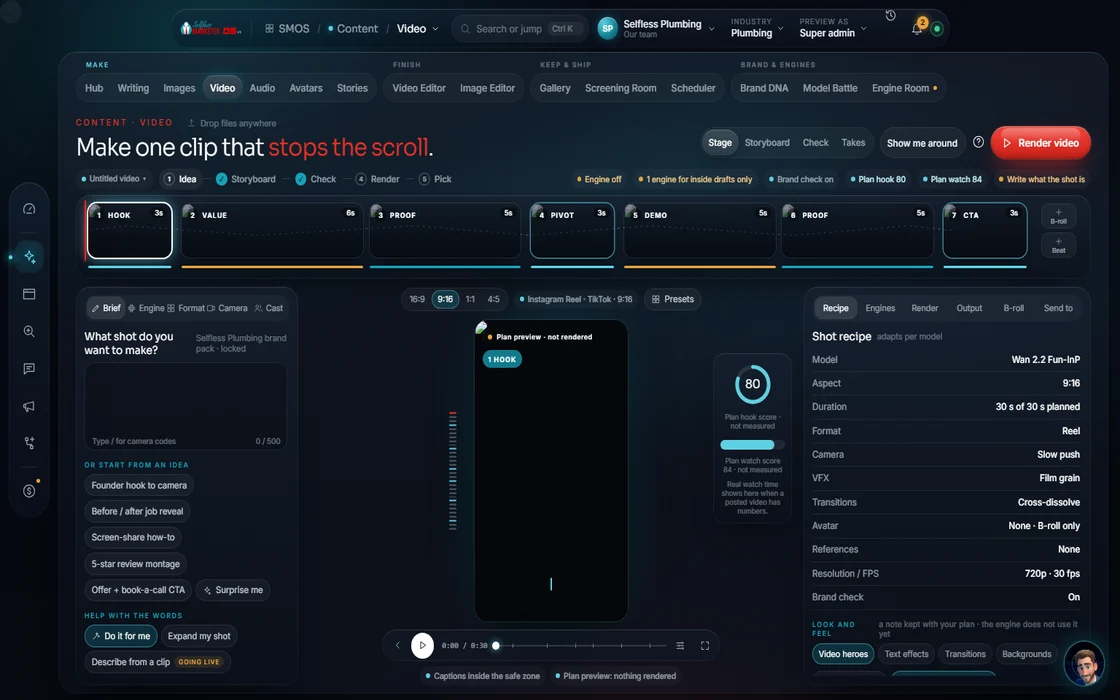
Video Studio
17 formats, camera moves, captions, music and your brand on every frame. Plan and storyboard before rendering.
 example data
- 05
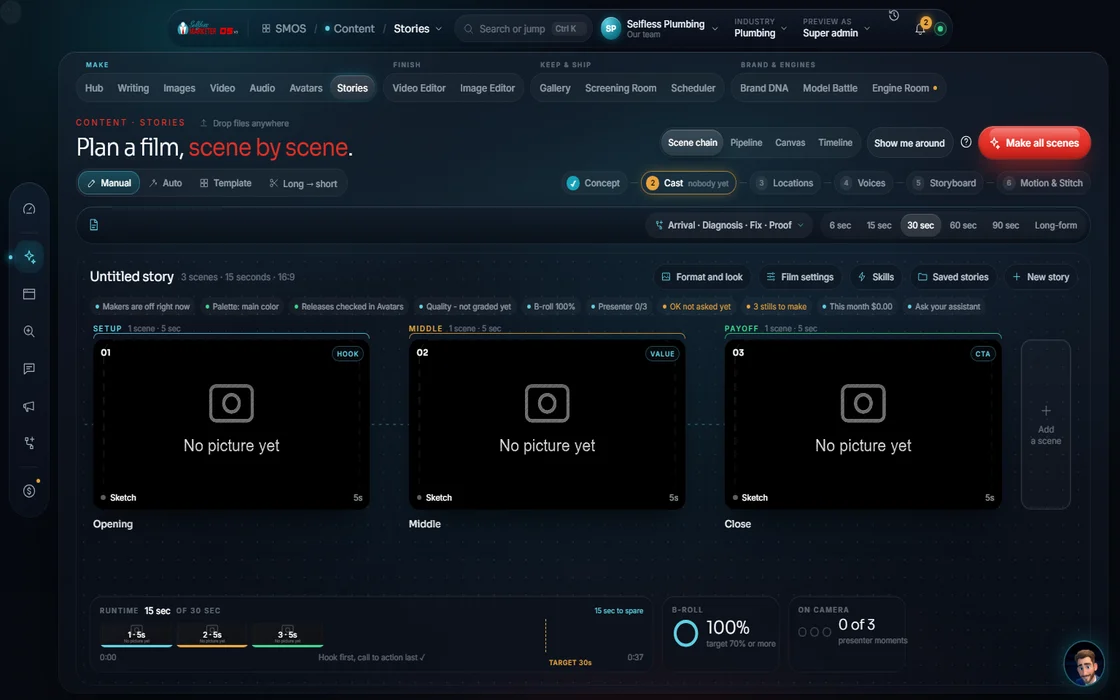
Story
Carousels, reels and before/afters, scene by scene, with a $0 dry run.
 example data
- 06
The Finishing Bay
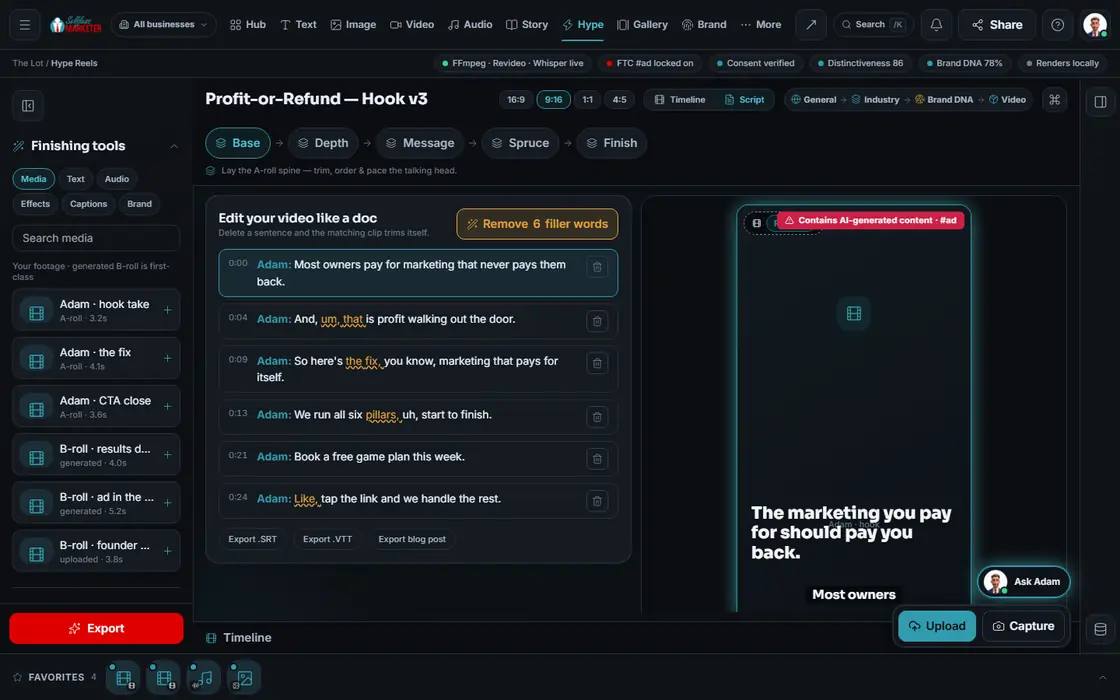
The Finishing Bay transcribes your footage and plans the cut. Exporting your edited video is on the way.
example data - 07
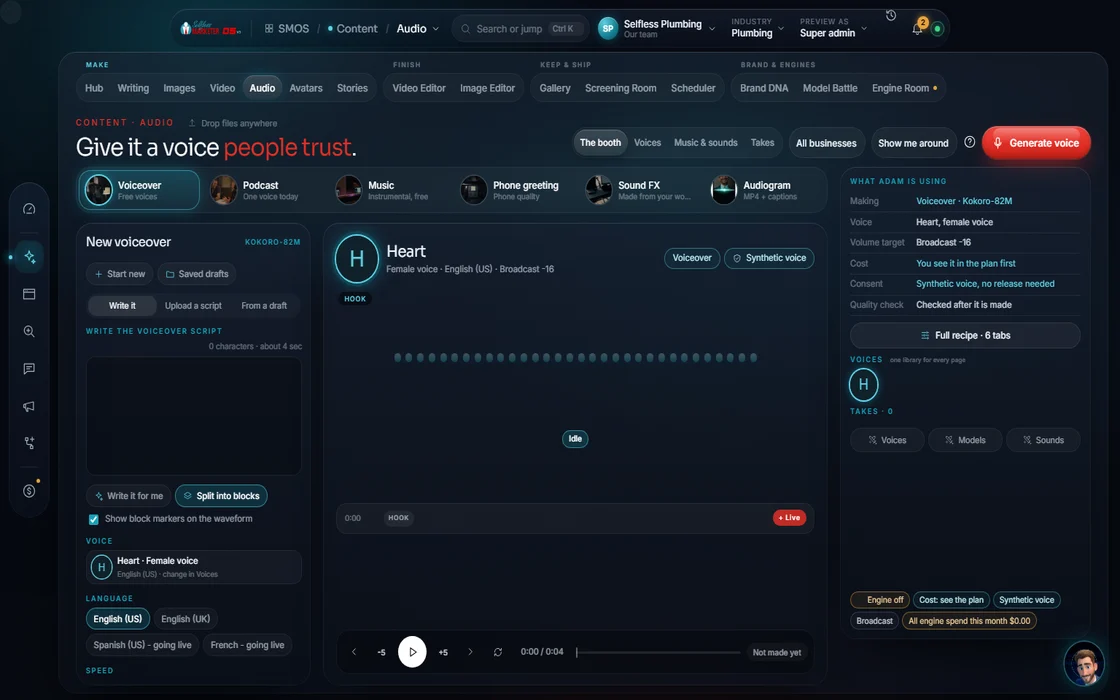
The Scoring Stage
Voiceovers, podcasts, music beds and phone greetings.
 example data
- 08
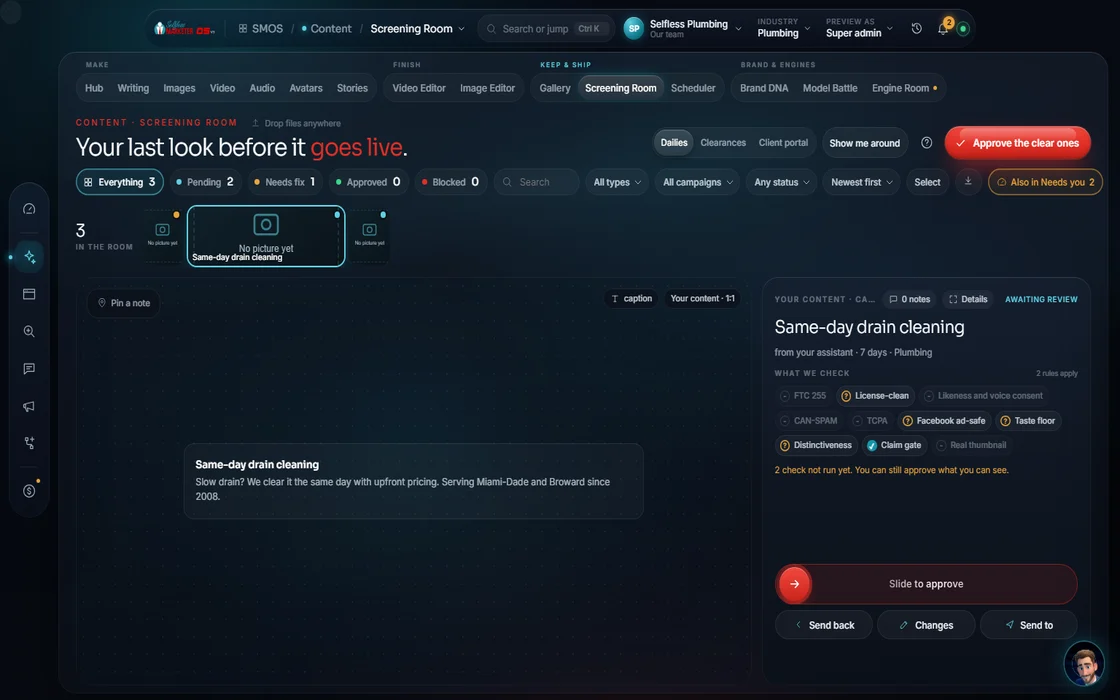
Screening Room Approve
Claims, consent, FTC and CAN-SPAM checked. Anything failing is blocked. Nothing auto-publishes.
 example data
- 09
The Vault
Every image and video you make, in one place with rights recorded.
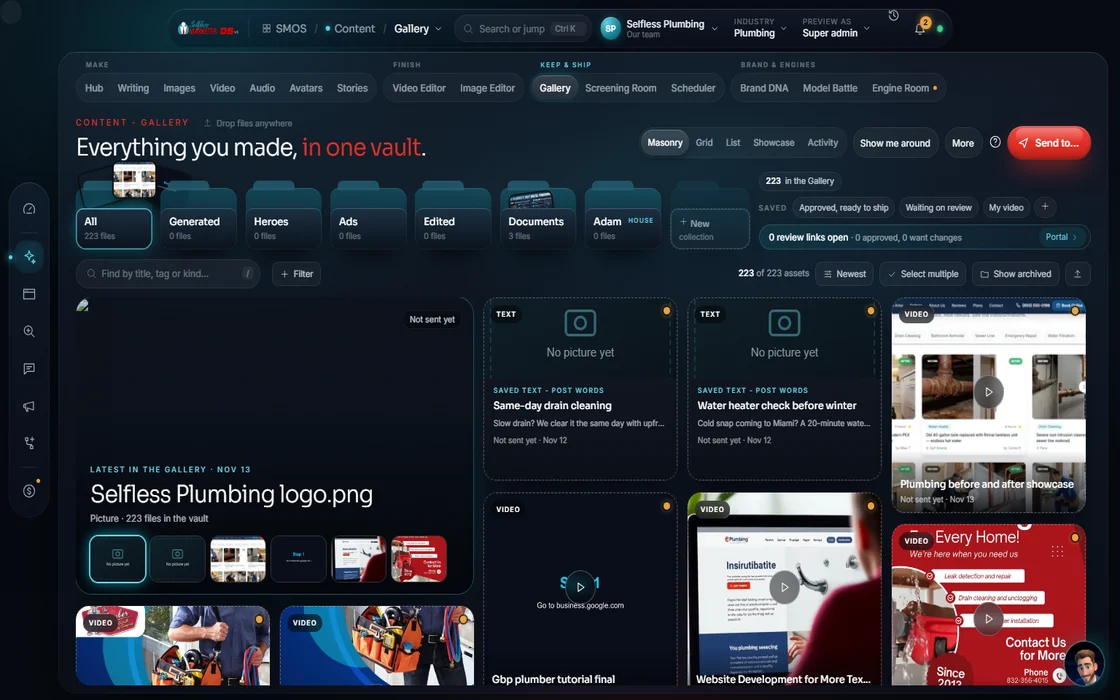 example data
- 10
The Dock
One calendar. One approved piece becomes ten, sized and written for each channel.
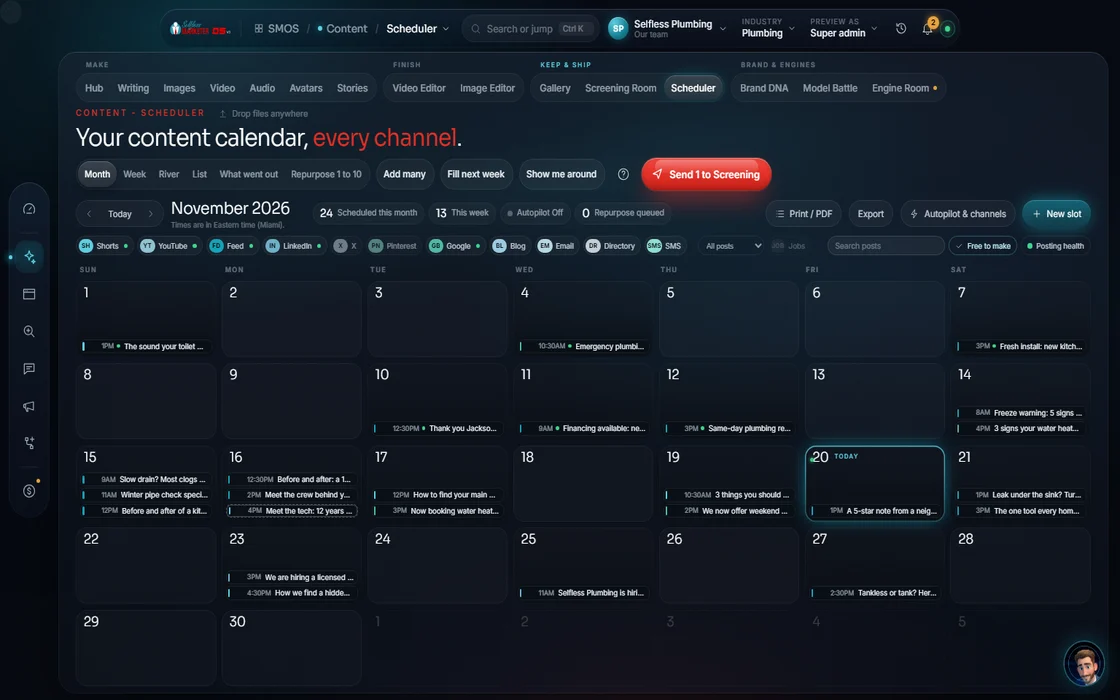 example data
- 11
The Engine Room
The right engine for each job, free first. Battle two side by side before you spend.
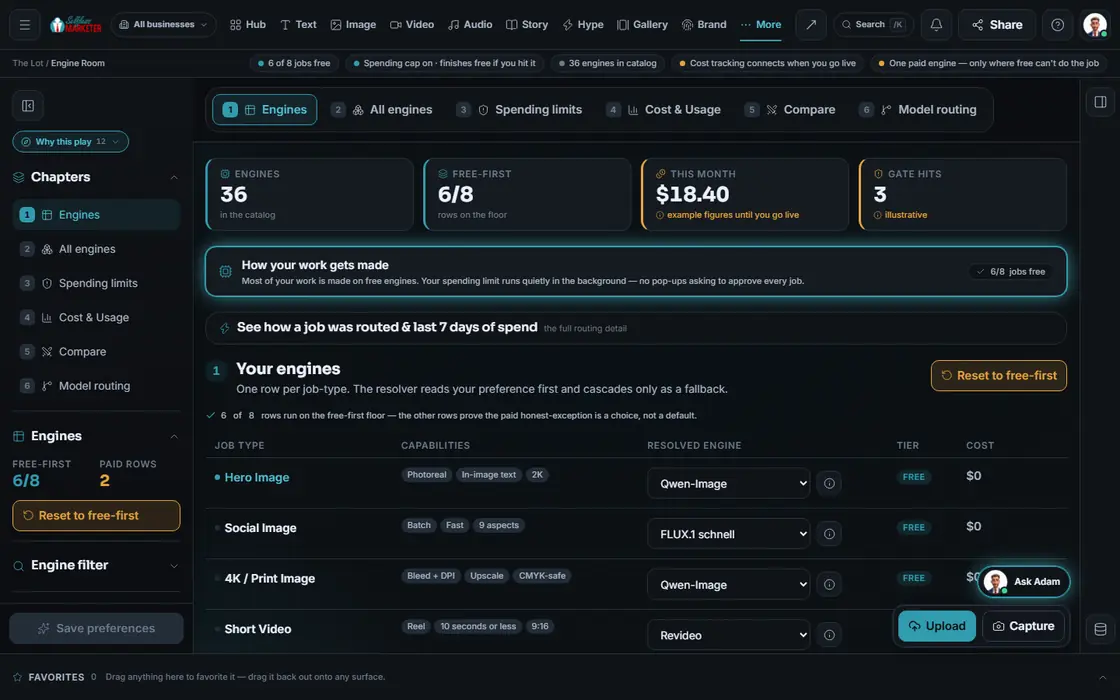 example data
- 12
Avatar Studio
Your own on-camera identity, with consent built in.
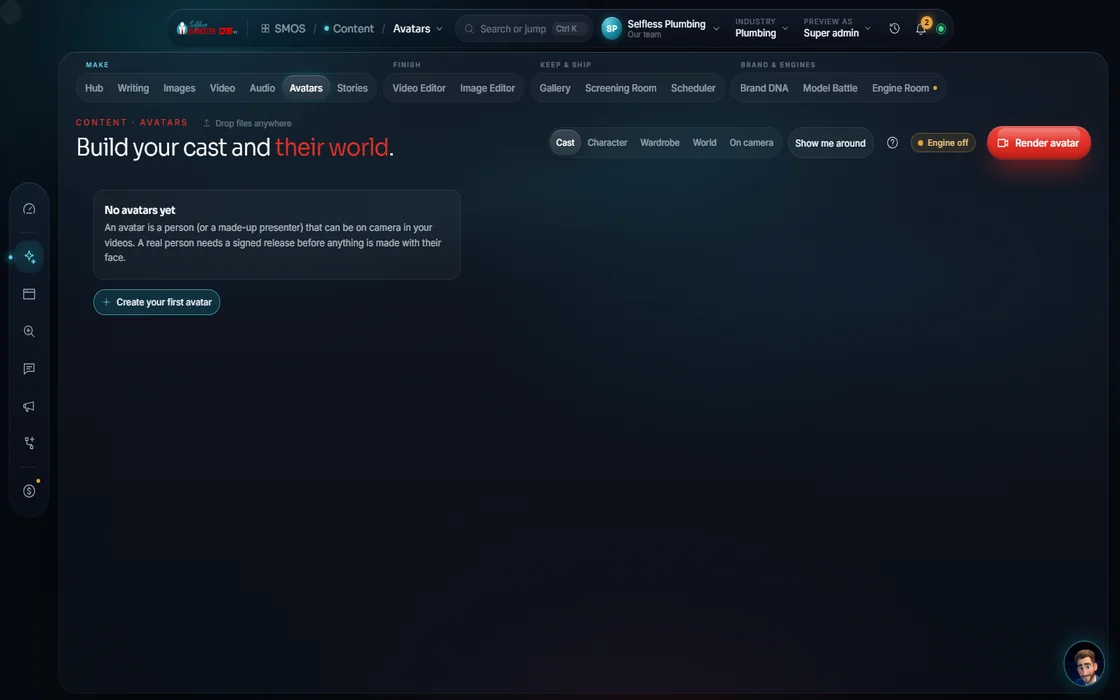 example data
Everything included
Everything Content includes
Nothing summarized away. Every count here is a Product fact.
The 13 surfaces
- Content Hub
- Writers' Room
- Image Studio, with the Design Canvas and the Resize Matrix
- Video Studio
- Story Studio
- The Finishing Bay
- The Scoring Stage
- Brand DNA (the Brand Office)
- Screening Room
- The Vault
- The Dock
- Engine Room
- Avatar Studio
- Plus Model Battle
Writing
- Blogs, pillar pages and SEO articles
- Social captions, carousel copy and X threads
- Emails, drips and newsletters
- Text and picture-message blasts (TCPA-safe)
- Google, Meta and Local Services ad copy
- Landing pages and service descriptions
- Press releases and case studies
- Review responses
- FAQ blocks written for AI answers
- Video scripts: hook, body, call to action
- Voice-match against your own copy
- One-tap edits: shorten, expand, change tone, more human
- A customer-data guard: drafts with personal info go to a private lane
Design & print
- Single stills and Instagram carousels (3–10 slides)
- Posters and flyers, infographics
- Logo and mark sets, trademark-screened
- Ad creative with feed 4:5 and story 9:16 safe zones
- Quote and stat cards; before/after composites
- Google profile photos and thumbnails
- Print: door hanger, truck wrap, business card, direct mailer, tri-fold brochure, yard sign, vinyl banner, sticker, magnet, presentation folder, invoice/form, letter
- 10 aspect ratios and 13 platform resize targets
Image Studio tools
- 24 ready looks in families: trust & proof, offer & promo, explain, timing, civic, house, product
- A 9-part prompt builder: subject, who's in frame, camera, composition, palette, text zones, style, quality, lighting
- Image editing tools are on the way
- Background removal that never makes things up
- Brand-lock and face-lock strength
- Side-by-side compare and a color match sampled from real pixels
Video & story
- 17 formats: ad, product spotlight, how-to, story, social short, promo, before/after, POV site walk, montage, myth/fact, slideshow ($0 from real job photos), talking head, storyboard, testimonial, explainer, cinematic, bright UGC
- 15 camera moves and 10 effects
- Captions burned in, plus SRT/VTT files
- Your assistant on camera under a third of the time (70/30 B-roll)
- Story types: Instagram carousel, LinkedIn carousel (PDF), story/reel, before/after, long → short
- 6 looks, a 3-lane timeline and a $0 rehearsal
Finishing & sound
- Edit by transcript
- “Tell your assistant the edit”: cut dead air, add captions, tighten the hook, punch up the pace, reframe for vertical
- Pacing presets: punchy, breathing, hook-first, B-roll rich, sound-off
- Overlays: lower-thirds, phone-number bar, logo sting, end card
- Platform presets: Reels 6–90 seconds, Shorts up to 60 seconds, TikTok up to 3 minutes, YouTube wide, Google profile up to 30 seconds
- Exports: MP4, MOV ProRes, WebM, GIF
- Voiceover, podcast, music bed or song, phone greeting and on-hold, sound effects, audiograms
- Voices: your assistant Signature, Reed Announcer, Poppy Local, or your own (signed release)
- 8 genres, 6 moods, 15 seconds to 2 minutes, 4 languages
Checks on every piece
- The 8 essentials: a brand-locked brief; a calendar slot; the main asset; humanized copy with SEO meta (50–160 characters), alt text, proofed; on-brand visuals; a queued 1 → 10 plan; a channel list; quality checks passed (taste score 70+, plagiarism, compliance, a real thumbnail) ending on a tracked call to action
- Reviewer chips: off-voice, wrong offer, weak hook, claim needs proof
- Export blocked if someone withdraws consent
- Non-commercial-licensed engines blocked before any render
The Vault & the Dock
- Search by type, trade, status and source
- Rights recorded on every asset
- Free platform versions of every asset
- Approved pieces go to your Social calendar to schedule.
- 1 → 10 repurposing into 11 channel families
- Transform layers: image 11, video 9, audio 6, text 8
- Assign to your assistant, you or an assistant
- Seasonal feeds per industry (storm season, frozen pipes, furnace tune-ups and more)
Bundles, packs & avatars
- Bundles: weekly content pack, repurpose fan-out, local SEO pack, seasonal push, full video campaign, launch kit
- Industry packs, including cleaning, pest control, pool, tree service, garage doors, auto, physical therapy, financial advisors and real estate
- 8 style families, from Pixar-style 3D to photoreal
- Consent built in: release on file, withdraw any time
- Long-form video up to 30 minutes; casts of 2 or more
The rules it follows
- Idea: Tell your assistant in plain words. Named angles help: Promote, Educate, Prove, Entertain, Announce.
- Plan: The 3-tier context boot fills the brief. A $0 preview, storyboard and the composed prompt show before anything renders.
- Write: In your voice, with a creativity dial from 1 (safe) to 11 (wild) and tone presets. Claims binding: a number or promise must tie to a real fact or it's blocked or softened. Platform rules built in: the first 125 characters before “more,” X threads past 280.
- Design: 24 ready looks and a 9-part prompt builder (camera angle is the biggest lever).
- Sound: Voiceovers, multi-voice podcasts, music beds, phone greetings mastered for phone lines. Cloning a voice needs a signed release, enforced in the software.
- Store: Rights recorded (owned, generated, licensed or free-to-use) for every image and video.
- Pick the engine: Free engines first. A bake-off fans one prompt across up to 6 engines; Model Battle puts 2 head to head with both costs shown before anything runs.
- Shoot on site: Done-For-You: a professional photo and video shoot every 3 months, so your content is real, not stock.
The engines behind it
- Claude: Your voice; the client-safe writer (owned seat)
- Qwen-Image: Heroes and sharp text inside the image, $0 (free engine, $0)
- FLUX.1 schnell: Fast social stills in batches (free engine, $0)
- Higgsfield Soul: The most photoreal stills, with an identity lock (owned seat)
- Seedream: Holds a brand character's Pixar-style look (Adam was built this way) (metered, asks first)
- Recraft V3 (planned): The only true vector output: logos and brand marks (metered, asks first)
- Wan 2.2: Free generative motion (free engine, $0)
- Kling 3.0 + Veo 3.1 (planned): Cinematic hero shots, on approval (metered, asks first)
- Kokoro + Qwen3-TTS: Free, clean voiceovers (free engine, $0)
- ElevenLabs v3: Premium emotive voice, on approval (metered, asks first)
- See every engine in this group
Who runs it
YOUR TEAM with the OS, or OUR TEAM for you.
- Give the idea in plain words
- Send photos and videos from your jobs
- Tap approve
- Drafts and generates on free engines first
- Checks every piece before it can leave
- Repurposes 1 into 10 and schedules it
- 30+ custom pieces a month
- Website, ad, Facebook post and Craigslist ad graphics; website header images
- Complete copywriting, website copy and SEO content
- Flyers, brochures, business cards and logo design
- Video creation and audio creation
- AI voice cloning, with consent
- A professional on-site photo and video shoot every 3 months
From A to Z coverage. See Content Creation, done for you and the quarterly on-site shoot.
Receipts
Made by our team for real clients




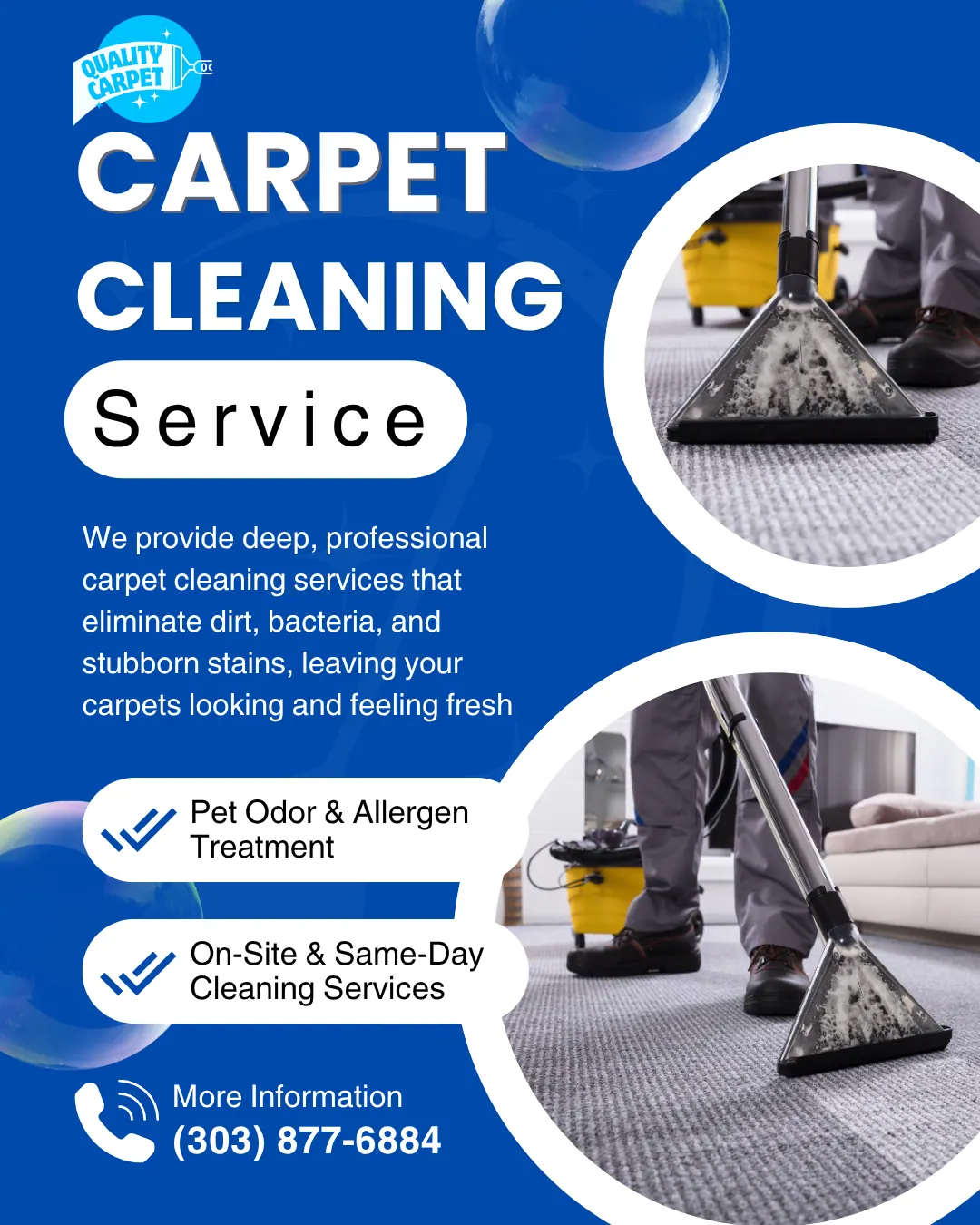

Real client work Graphics made by our team.
Built: Hub, Writers' Room, Image Studio, Story planning, Finishing Bay, Scoring Stage, Screening Room, Vault, Dock and Model Battle. Video Studio plans and storyboards; rendering is marked “soon.” Story scenes render on your approval. Dock posting opens per channel as each connects.
On the way
Coming soon
These are planned and are not in the software yet. We list them so you know what is next.
See your newest pieces up front; videos play when you hover.
Coming soon: V2A strip that shows what is missing this week and what to make first.
Coming soon: V2Shortcuts that fit your kind of business show up first.
Coming soon: V2Show a post you like and new pieces follow its style.
Coming soon: V3Go deeper
Every Content page
Each studio has its own page and walk-through.
Writers' RoomEvery kind of writing, claims tied to factsImage Studio24 ready looks and a 9-part prompt builderDesign CanvasLayouts, layers and print-safe filesVideo Studio17 formats with your brand on every frameStory StudioCarousels, reels and before/afters, scene by sceneThe Finishing BayEdit video like a docThe Scoring StageThe Scoring Stage: voice, podcasts, musicScreening RoomThe last check before anything leavesThe VaultThe Vault: every asset, every versionThe DockOne calendar; one piece becomes tenModel BattleTwo engines head to head, costs first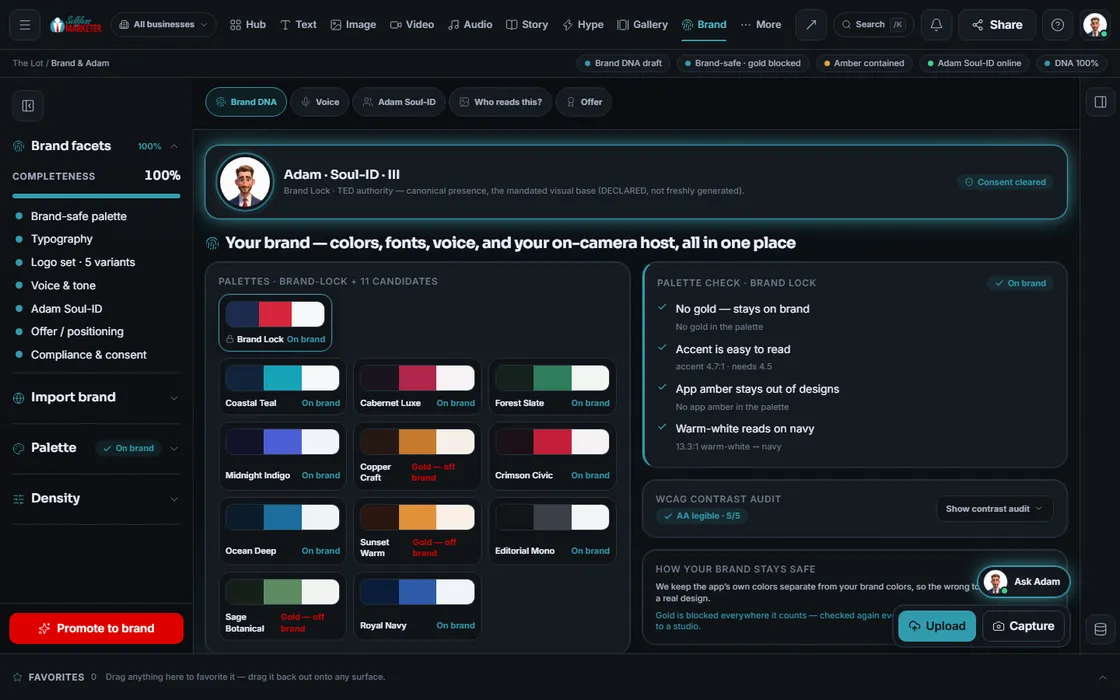 Brand DNAThe voice and look every department readsEngine RoomThe right engine for every jobAvatar StudioYour own on-camera identity, consent built in
Questions owners ask about content
Won't AI content look fake?
In your voice from your Brand DNA, every claim tied to a real fact, every piece approved by you. Done-For-You adds a pro on-site photo and video shoot of your crew and work every 3 months.
Do I own what's made?
Yes. You own all the work. The Vault records rights on every asset: owned, generated, licensed or free-to-use.
What does it cost to make a video?
Planning, storyboards and previews are $0, and free engines go first. Premium engines run only at a price you approve, and you pay for what comes back.
Can it make print pieces?
Yes. Our team designs door hangers, truck wraps, yard signs, business cards, brochures and mailers for you on Done-For-You.
Can it clone my voice or put me on camera?
Only with a signed release, enforced in the software. Consent can be withdrawn anytime, which blocks export.
Does anything post on its own?
Nothing leaves without the Screening Room and your OK. Facebook is always prepped for you to post.
Keep going
Related pages
Try the OS
Our free trial is starting soon.
The same tools we use for our done-for-you clients. Our 7-day free trial is starting soon. Until then, book a call and a real person walks you through the OS. $997 a month, first month $497. No contracts.

YOUR TEAM runs it with the OS, or OUR TEAM runs it for you with Done-For-You. Not sure? Which one fits me?