







AI Automation & Back Office
Never miss a lead. Text-back goes live once your phone line is connected.
Tuesday, 2:14 PM. You're under a sink; the phone rings. A text goes back once your phone line is connected, with your booking link. The customer books, your tech gets the job, the estimate is e-signed, the invoice paid, the dollar traced to the ad. A real person steps in when it matters.
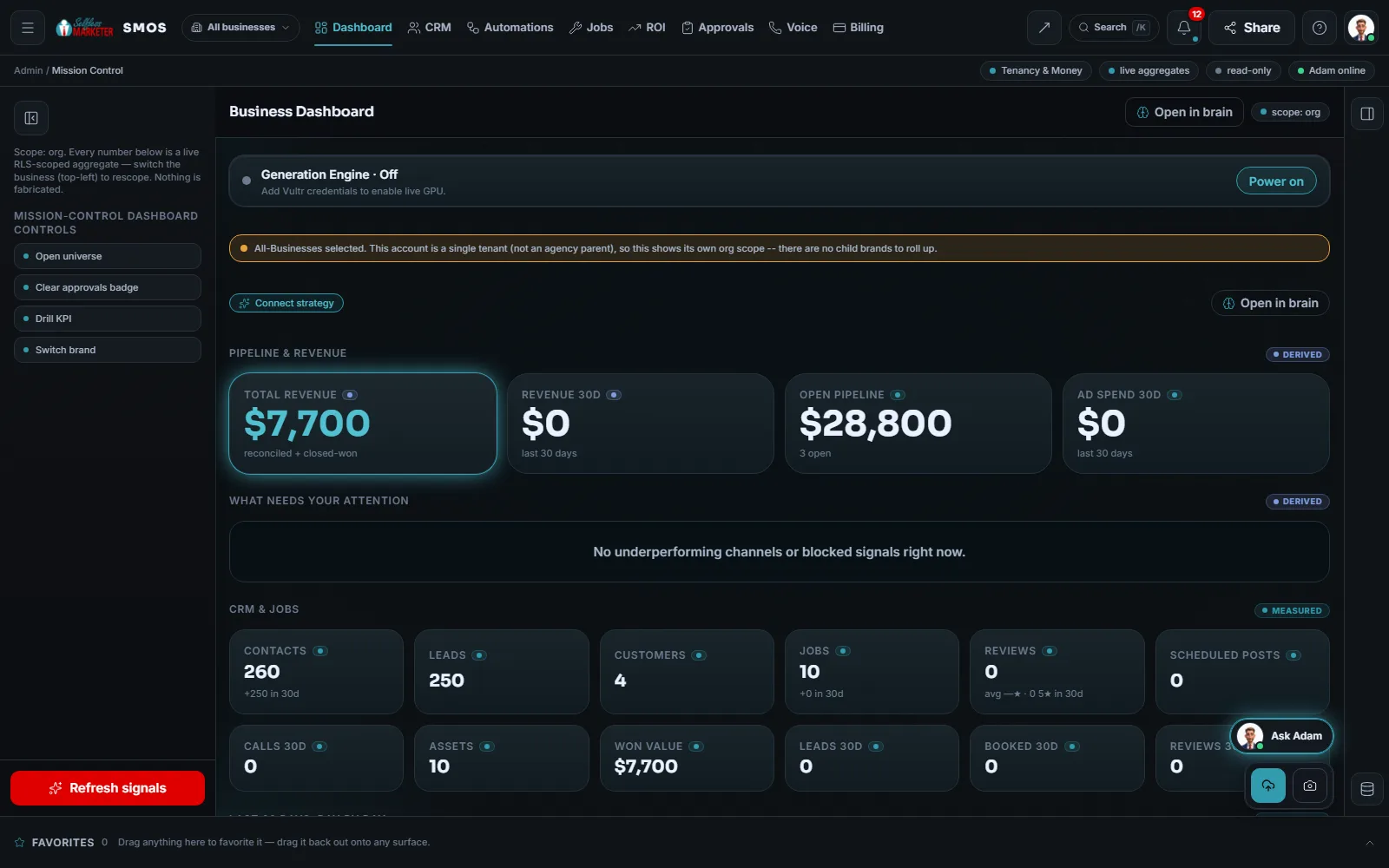 example data
What it is
Your 24/7 sales team, with a real person in charge
The hard part isn't getting the phone to ring. It's answering it on a job, then facing the estimates, invoices and receipts after.
It covers both ends. Calls get answered, routed and rescued. One inbox for texts, web chat and social messages. Email and WhatsApp join as each one is connected. Automatic follow-up ends on STOP. Then the job: booking, dispatch, good / better / best estimates, e-signatures, invoices, customer portal and technician app.
“Your human team, powered by AI. Not AI-everything.” AI handles basics, rings emergencies through to your phone, and nothing goes out without your approval.
For owners losing leads to voicemail and front desks buried in texts, emails and DMs. On Done-For-You: “We simply analyze your current sales process and automate what makes sense.”
 example data
Walk it
Walk the back office, call to cash
Follow one lead from first ring to paid invoice. Every screen is real OS, and every customer-facing step waits for your OK.
- 01
The AI receptionist
Greets callers with a consent line, takes the caller's name and reason, and rings emergencies through to your phone. Live once your phone line is connected.
- 02
Missed-call rescue
4 paths: emergencies book 1 hour out with one tap; text-back with a STOP if you call back first; a one-tap text-back with your booking link; a callback queue ranked by recency.
- 03
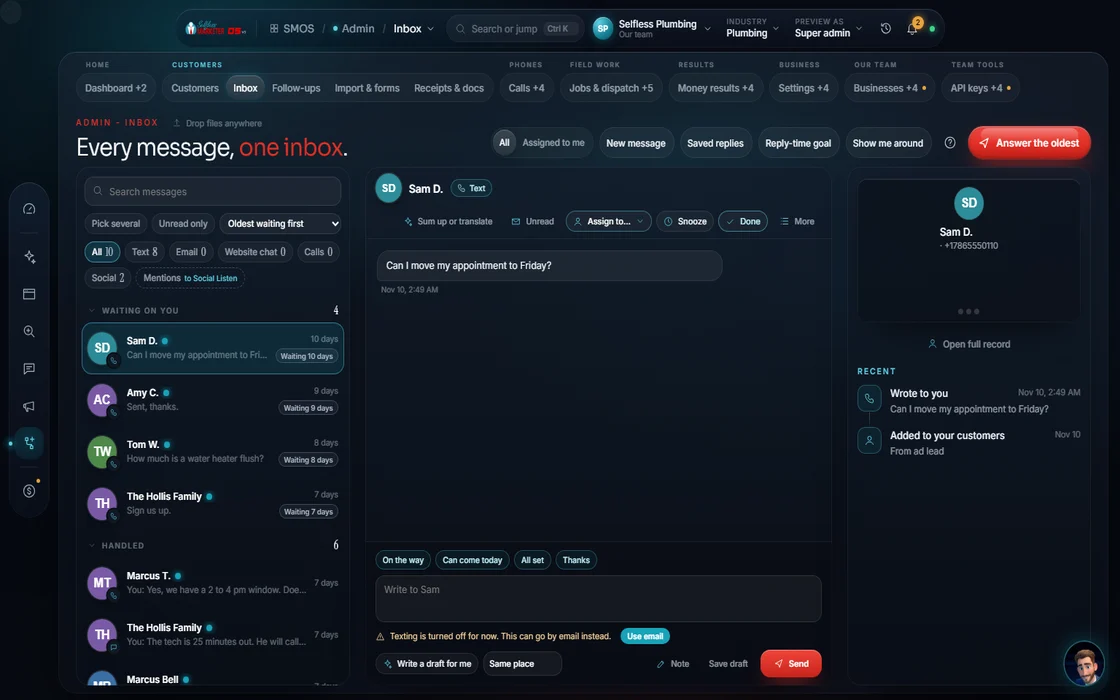
One inbox Approve
Text, email, web chat, WhatsApp, calls, DMs, comments and mentions. Your assistant drafts; you approve.
 example data
- 04
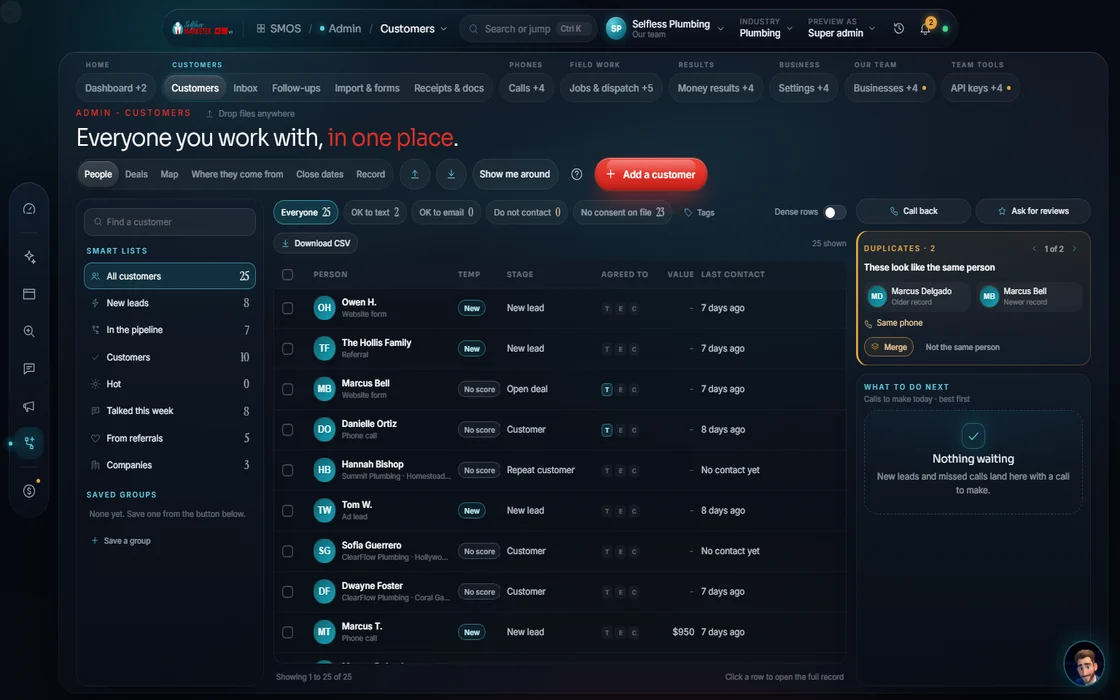
CRM
Every contact and deal, with the next best move ranked by money at risk.
 example data
- 05
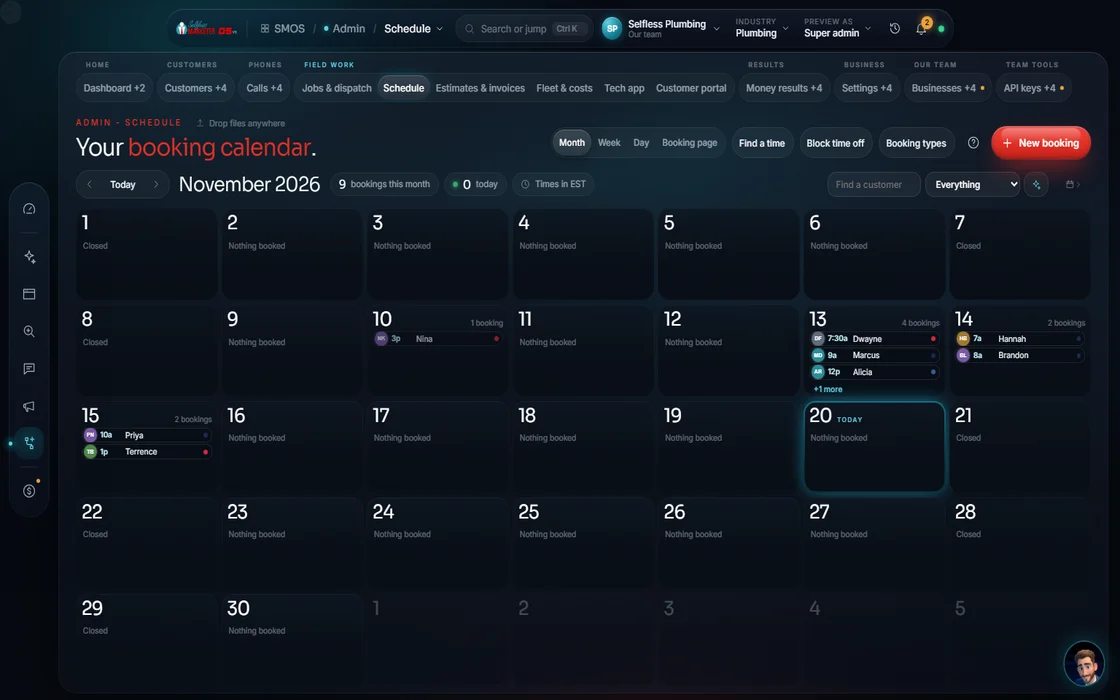
Booking
See open times and book jobs onto your calendar.
 example data
- 06
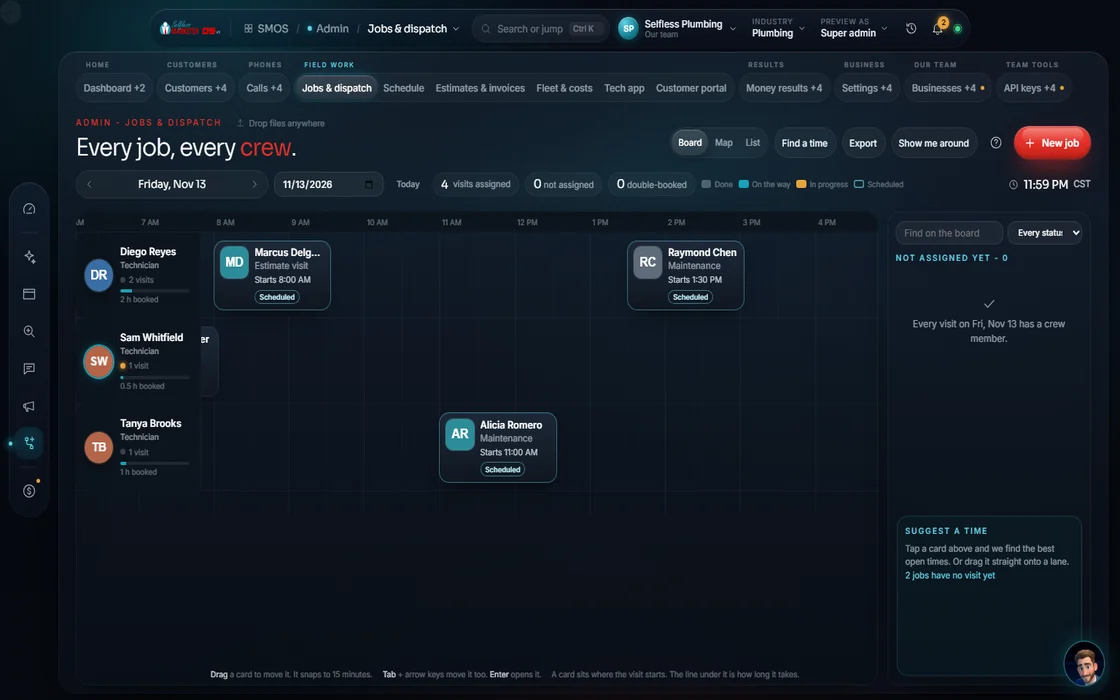
Jobs and dispatch
Your techs on a real time grid. Good / better / best estimates become invoices.
example data - 07
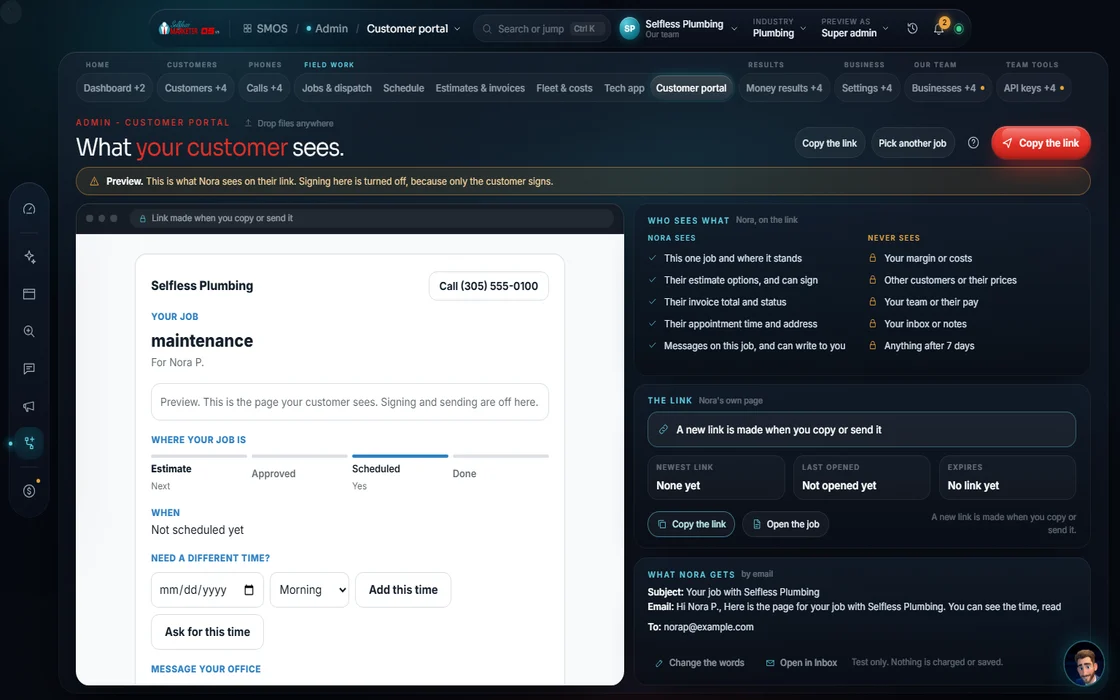
Customer portal
Your customer approves the estimate, signs, pays and messages you from one link.
 example data
- 08
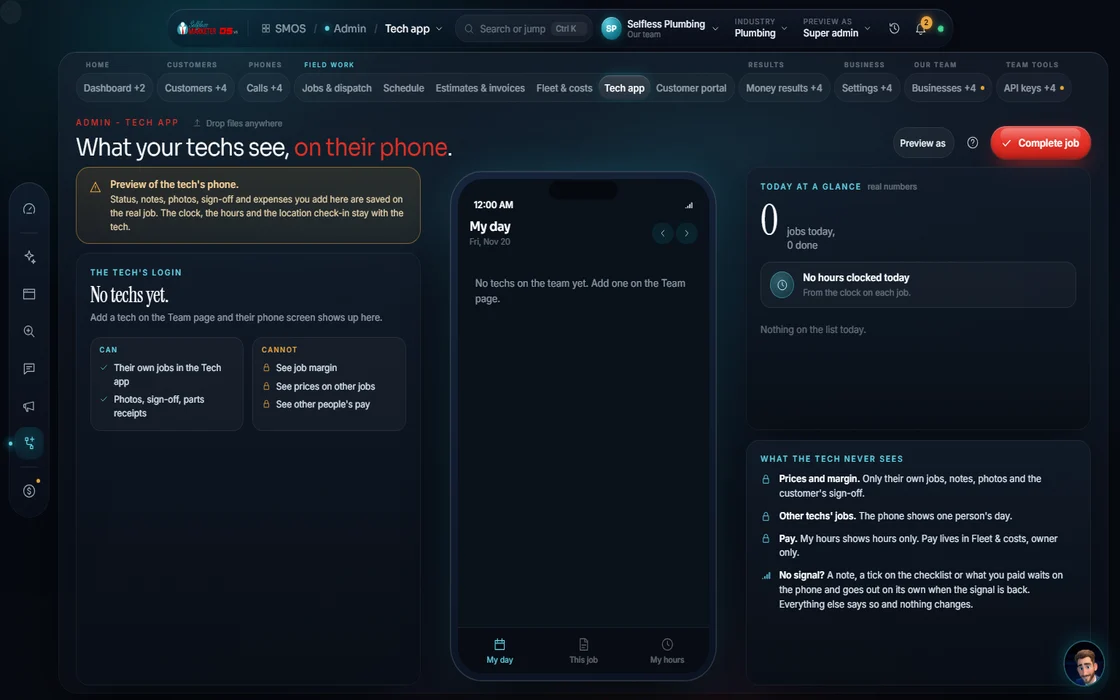
Technician app
One job at a time on a phone: status, photos, signature, parts.
 example data
- 09
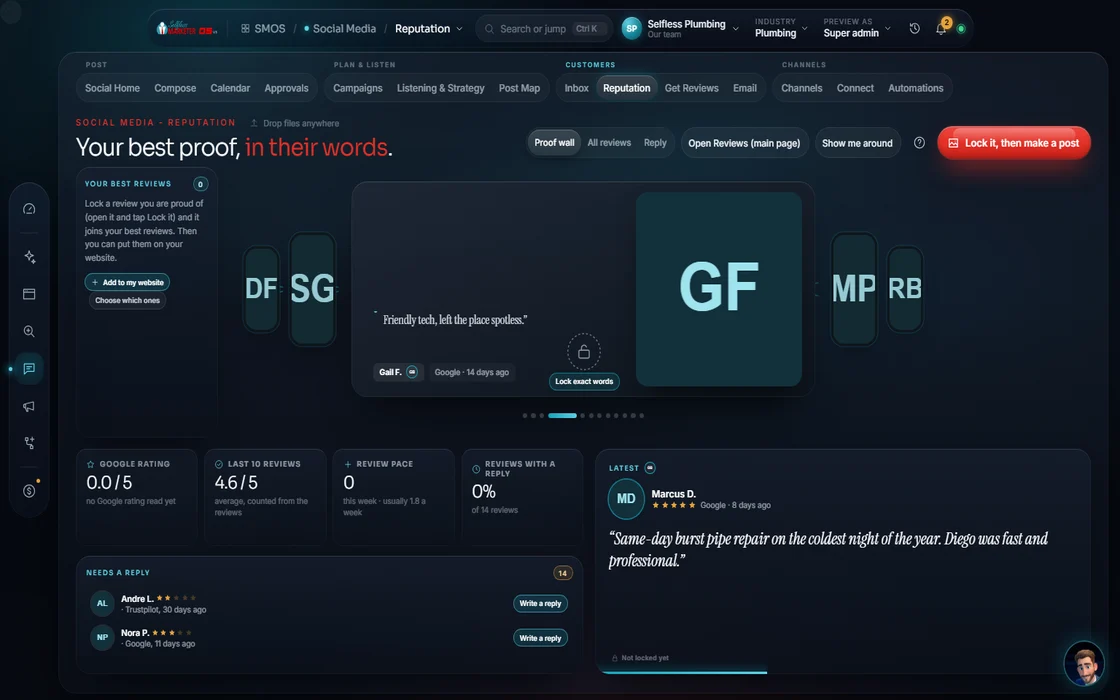
Reviews
Add your reviews and get reply drafts by star level. Google review import is on the way.
 example data
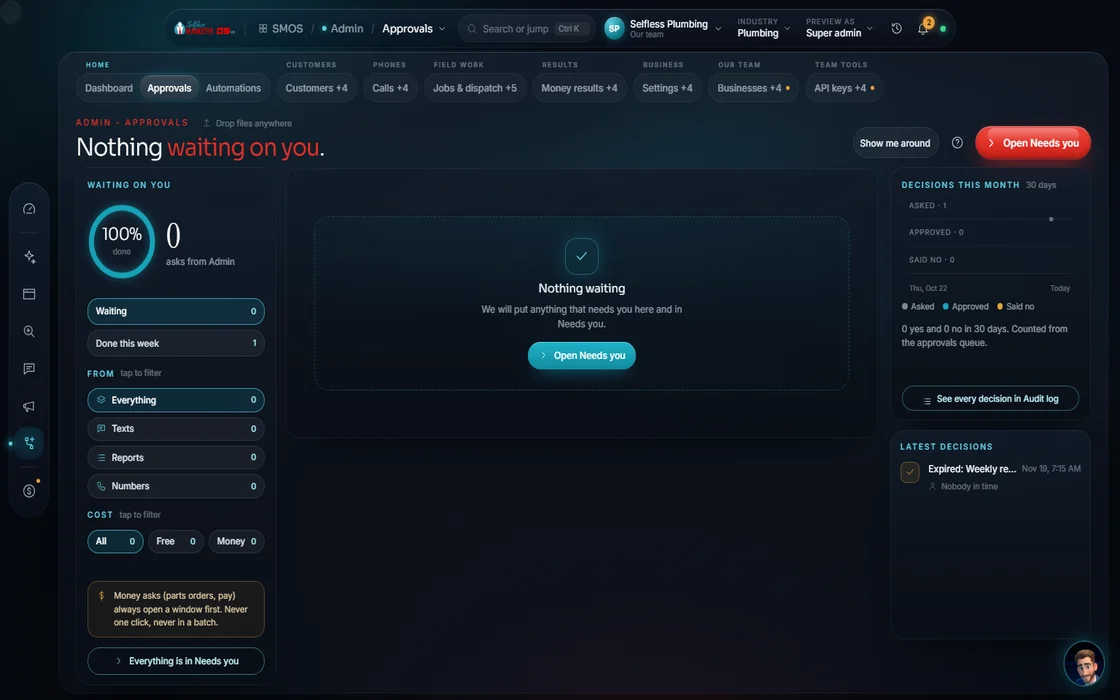
- 10
Approvals Approve
Everything from every department drains into one queue.
 example data
- 11
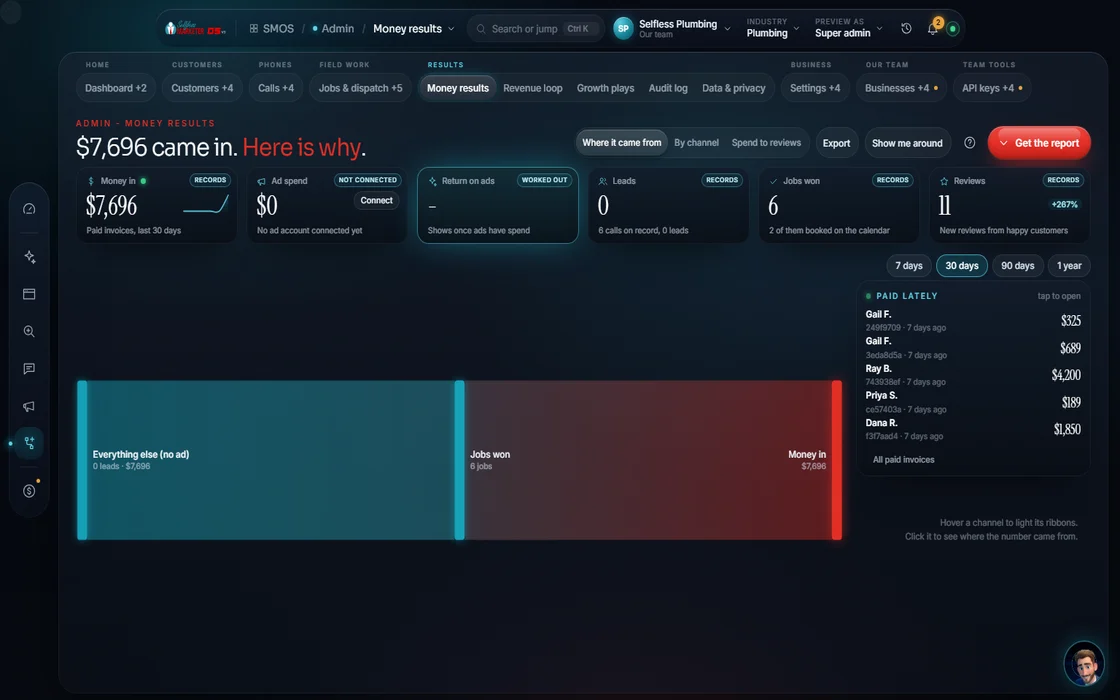
ROI
Ad spend → lead → job → revenue, with a label on every dollar.
 example data
- 12
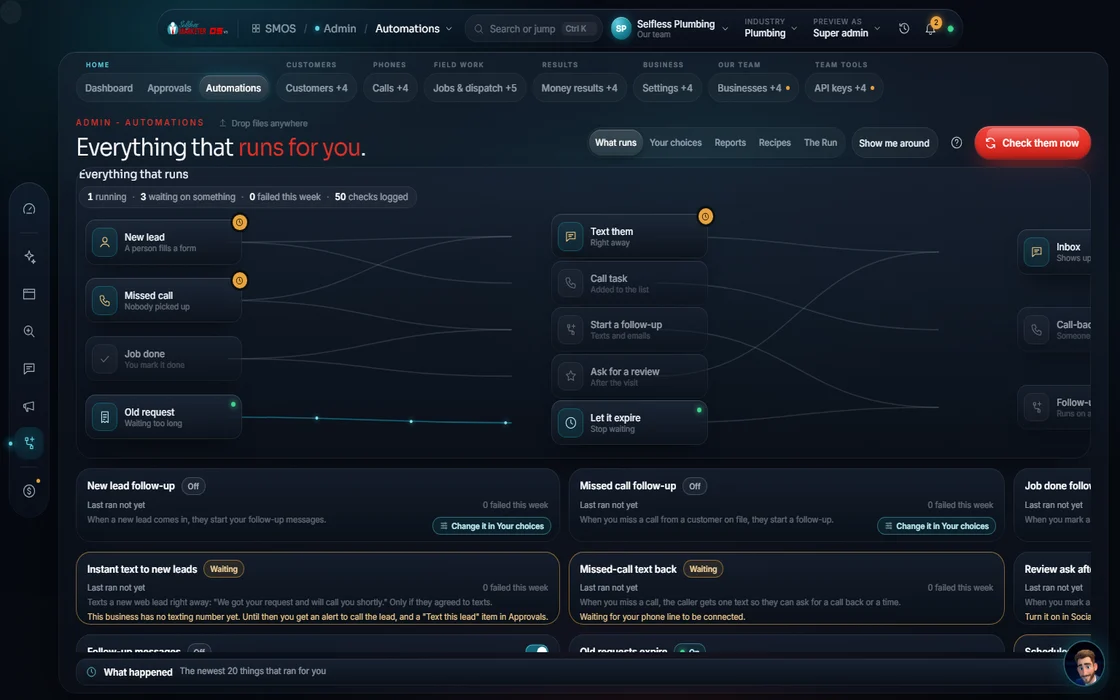
Automations
A workflow canvas with replay and an inspector on every step.
 example data
- 13
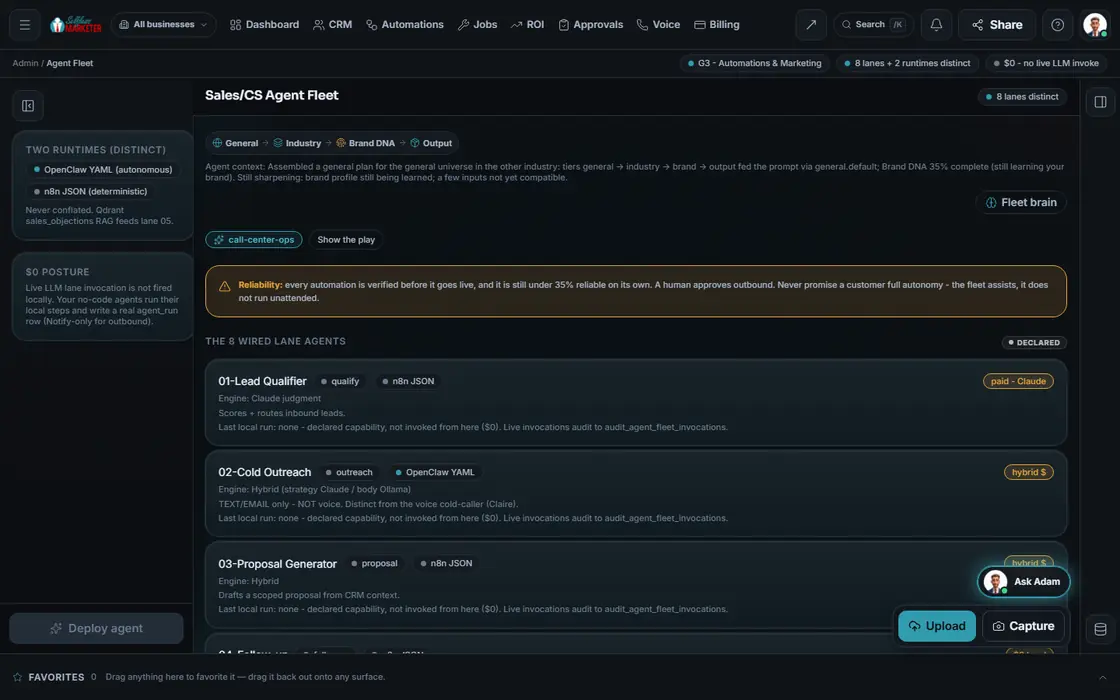
The agent fleet
Ready-made follow-up flows you turn on and edit.
 example data
- 14
Smart intake
Drop a receipt, invoice or business card; the fields are read and filed.
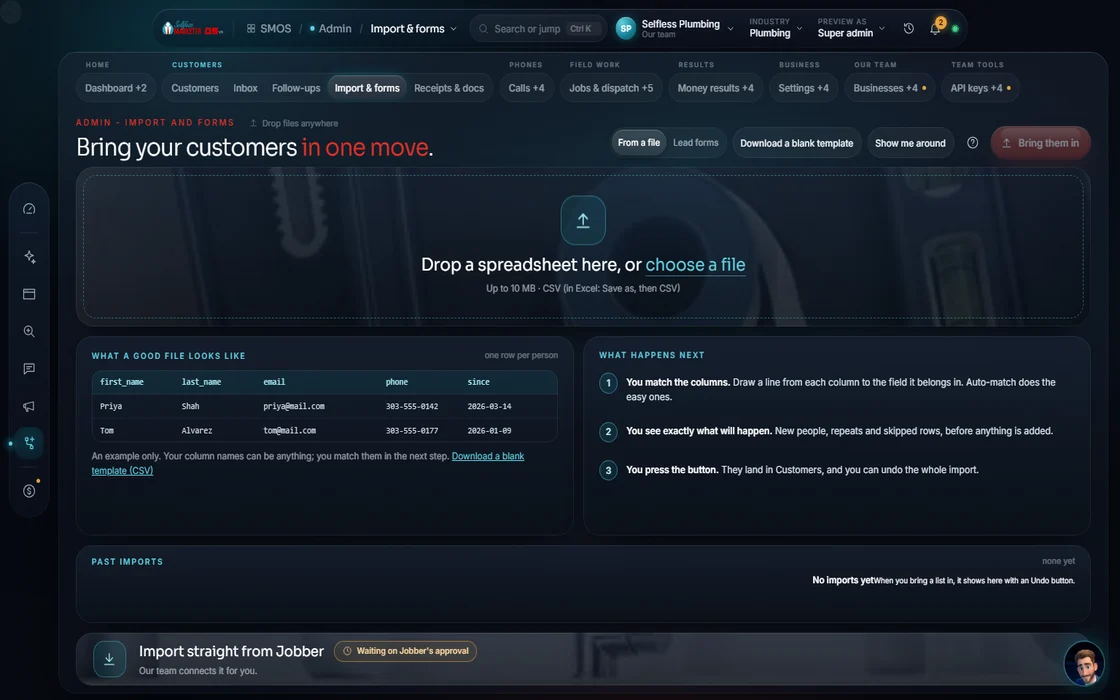 example data
Everything included
Everything AI Automation & Back Office includes
Nothing summarized away. Every count here is a Product fact.
Calls
- AI phone receptionist: greeting + consent, menu, routing by keypad or intent, booking or voicemail
- 4 missed-call rescue paths, kept separate
- A call-center console with scripts and a live call guide. Click-to-dial and texting turn on once your phone line is approved
- AI outbound calls to warm and past leads: not switched on yet. When they are, every call checks quiet hours (8am–9pm local), consent and our do-not-contact list first
- Tracking numbers per site, ad and source
- A phone-qualifier persona per number: general, sales, support, emergency, after-hours
- Local Services leads queue: new, active, booked, disputed, credited, declined
- A campaign calendar that blocks an email, a text and a call to the same lead on the same day
Messages & follow-up
- One inbox for texts, web chat and social messages. Email and WhatsApp join as each one is connected
- Assignment, response targets and canned replies
- A compliance gate before every send
- An unconnected channel says so, never a fake “Sent”
- Nurture canvas: email, text, wait, branch on open, click or reply
- Enroll and exit rules; a STOP node is required
- Live counts: enrolled, sent, replied, stopped (opens and clicks are not tracked yet)
- Email outreach: ideal customer → find → enrich → qualify → 3–7 touches → personalize → CAN-SPAM/GDPR block → 4–7 day sender warm-up → launch → replies → CRM
Customers & jobs
- CRM with 5 views: table, board, calendar, chart, map
- 13 association types and a full timeline
- Stages: new, qualified, proposal, won, lost
- Weighted deal value (amount × stage probability)
- Next best move ranked by money at risk; first touch and speed-to-lead
- The field customer is the same record as the marketing contact
- Smart intake: receipts, invoices, forms, business cards, statements
- Booking: open times and jobs on your calendar
- Jobs & dispatch with per-brand job numbers
- Invoices (estimates coming)
- Field ops: fleet, inventory, routes, timesheets
- Per-job margin (revenue − labor − parts), feeding ROI
- Your customers get a private link to their own job, and your techs get a job view of their own, with no prices. See both working in our live plumbing demo.
- A price book and technician pay rates
- Saved customer groups you can filter and reuse
Reviews
- Reviews you add; Google review import is on the way
- All stars shown, word for word (FTC rule)
- 5★: thank them by name and name the service
- 4★: acknowledge the gap and the fix
- 3★: own the miss and offer a direct line
- 1–2★: apologize without excuses and take it offline
- Sentiment and review schema
- Asks capped at 50 a day, one per customer every 30 days
Automation & AI helpers
- A workflow canvas: action, wait, text, email and condition steps
- Ready-made follow-up flows you turn on and edit
- Replay and a per-step inspector
- Import and export any flow
- Custom workflows and sales agents are built by our team on Done-For-You
- Agents notify only; all outbound waits for approval
- Studio Kit: save any studio's work as a recipe; snapshot a business, site, campaign or workflow
- Ask your assistant: help answers with their sources cited
Control & money
- One approvals queue for every department
- A policy gate, a daily cap and a 30-day spacing rule
- ROI with a label on every dollar
- Growth Studio: plays ranked by money at risk, churn flags, a map scan report
- Audit log: search, filter, personal info hidden, export for legal, retention
- Data governance: consent records per contact, data requests, right to be forgotten
- A suppression list: every STOP, unsubscribe or do-not-call blocks that channel
- Billing: plan, usage, invoices; card retries on day 3 and day 7, then grace, a soft limit and a pause
- Two billing planes kept separate: your subscription and your job invoices
Setup & brand
- 5 starting types: home service, local retail, professional, restaurant, creator
- Brand Kit: a 7-facet Brand DNA with logo, colors, voice and banned words
- A contrast matrix for every brand color
- Drop in a brand doc (Word, PowerPoint, Excel, PDF) and facets are pulled with citations
- A connections board: live, degraded, down or not configured
- An encrypted key vault
The rules it follows
- Answer: The AI receptionist greets with a consent message, routes by keypad or intent, then takes the details for a callback and rings emergencies through to your phone. Recordings only with consent.
- Track calls: One call ledger traces every call: call → tracking number → ad set → campaign. The best number “wins” only on real counts.
- Answer messages: One inbox with assignment, response targets and the customer's context beside every thread. Your assistant drafts; you approve. Quiet hours (8am–9pm local), consent and a CAN-SPAM footer are checked before anything sends.
- Follow up: Drip flows that branch on opens, clicks and replies. Every sequence has a STOP node and ends on STOP.
- Do the job: Techs on a time grid; drag to reschedule; finished jobs turn into invoices (estimates coming); photos come in from the field.
- Get signed & paid: Your customer opens one link, picks a tier, signs (a legally binding e-signature with time, IP and device on record), pays and messages you.
- Paperwork: Each field read with a confidence score; shaky ones wait for a person, confident ones file themselves.
- Prove it: Ad spend → lead → job → revenue, with a label on every dollar: measured, derived, modeled or declared.
The engines behind it
- Phone line, booking page and web chat: Live once connected
- Vapi + Retell: Alternative voice-AI engines behind the same line (metered, asks first)
- NeuTTS + Chatterbox: Receptionist voices, free (free engine, $0)
- Whisper: Speech to text (free engine, $0)
- Llama 3.1 8B: Call summaries (free engine, $0)
- Telnyx: Phone numbers and texting, once carrier-approved (metered, asks first)
- Stripe: Payments and billing; test mode until your live keys are in (metered, asks first)
- See every engine in this group
Who runs it
YOUR TEAM with the OS, or OUR TEAM for you.
- Tap approve or change
- Answer a few questions about how you sell
- Take the calls that matter
- Drafts replies, review responses, follow-ups and proposals
- Scores leads, rescues missed calls and books
- Reads paperwork and traces ROI
- Keeps the compliance gates on
- Analyzes your sales process on the onboarding call and automates what makes sense
- Sets up the receptionist, rescue, follow-up, booking and portals
- Phone AI for inbound calls; outbound and cold calls
- Email smart campaigns and text automation
- Social DMs, comments and live chat management
- An AI chat-bot on your site
- Appointment setting and review management
- Call scripts and messaging scripts
- Follow-up process, lead nurture and lead qualification
The goal: keep your people on the human, money-making work. See AI Automation, done for you.
Receipts
Try the back office yourself
Phone receptionist, texting, payments and booking are built and go live once your phone line is connected, texting is carrier-approved (A2P 10DLC), payment keys are in and booking page linked. Until then: test mode, never a fake “sent.” Planned: an offline queue for the technician app.
On the way
Coming soon
These are planned and are not in the software yet. We list them so you know what is next.
Make a report for any part of your back office in one click.
Coming soon: V2Small trend lines and a time slider on every number.
Coming soon: V2Go from lead to job to paid invoice in one guided path.
Coming soon: V2Go deeper
Every Back Office page
Each surface has its own page and walk-through.
AI Phone ReceptionistConsent line, caller details, emergencies rung throughMissed-Call Rescue4 paths; Missed-call rescue: one tap sends the text-back.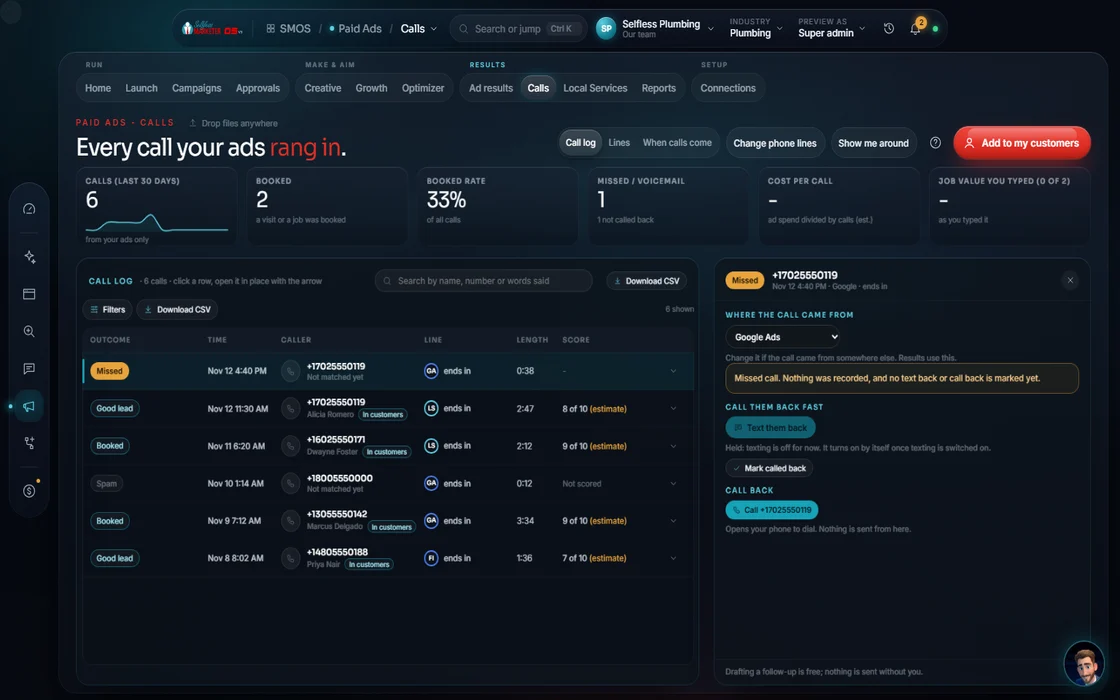 Call CenterA human dialer with texts and a leaderboardCall TrackingA number per site, ad and sourceOne InboxTexts, web chat and social, in one inbox
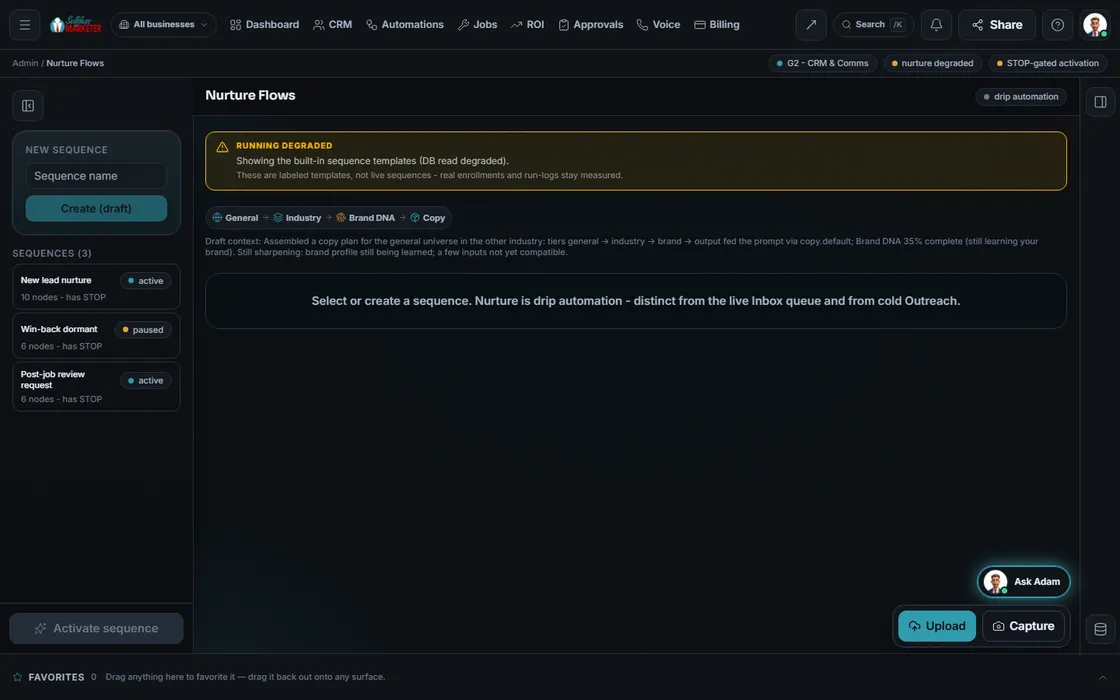 Nurture FlowsFollow-up that ends on STOP
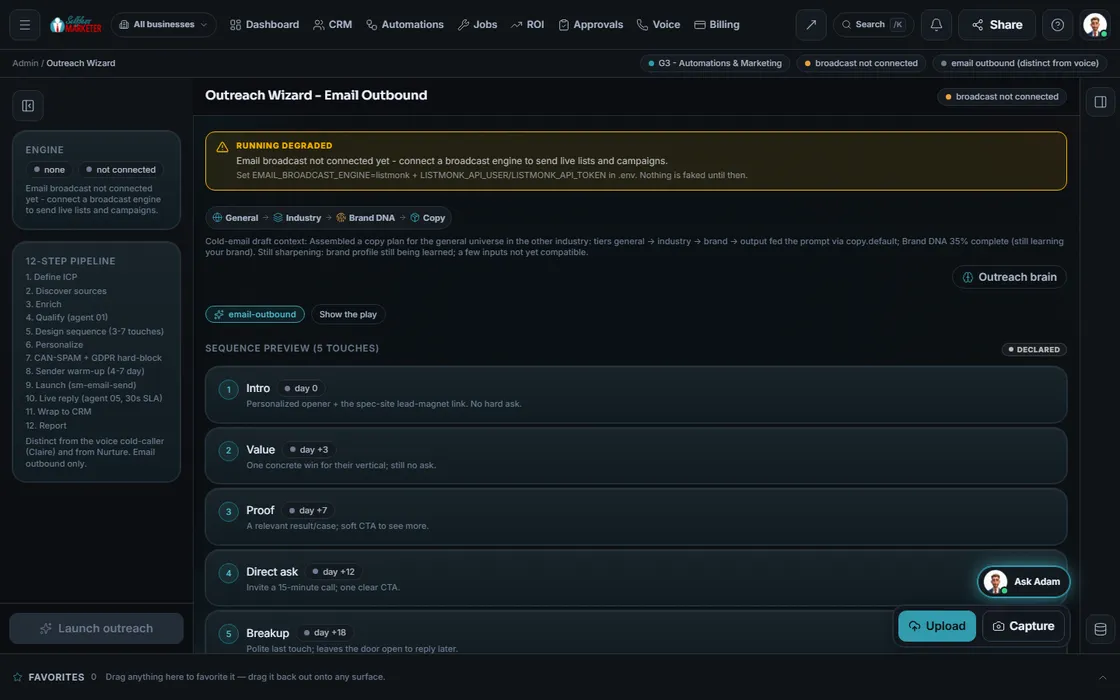 Email Outreach3–7 touch sequences with sender warm-upReviews & ReputationEvery star shown, replies by star levelCRM5 views and the next best moveSmart IntakePaperwork read and filedBookingA real slot grid and remindersJobs & DispatchTechs on a time grid; estimates to invoices
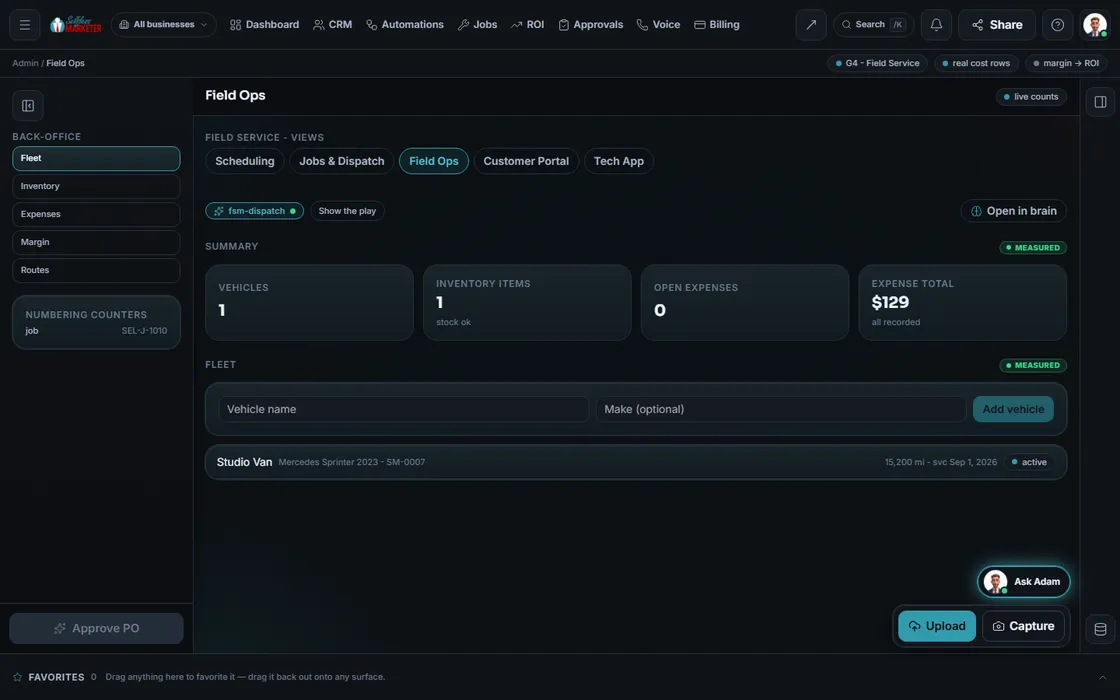 Field OpsFleet, inventory, routes, timesheets, marginCustomer PortalApprove, e-sign, pay, messageTechnician AppOne job at a time, on a phoneAutomationsA workflow canvas with replayAgent FleetReady-made follow-up flowsApprovalsOne queue for every departmentROIA label on every dollar
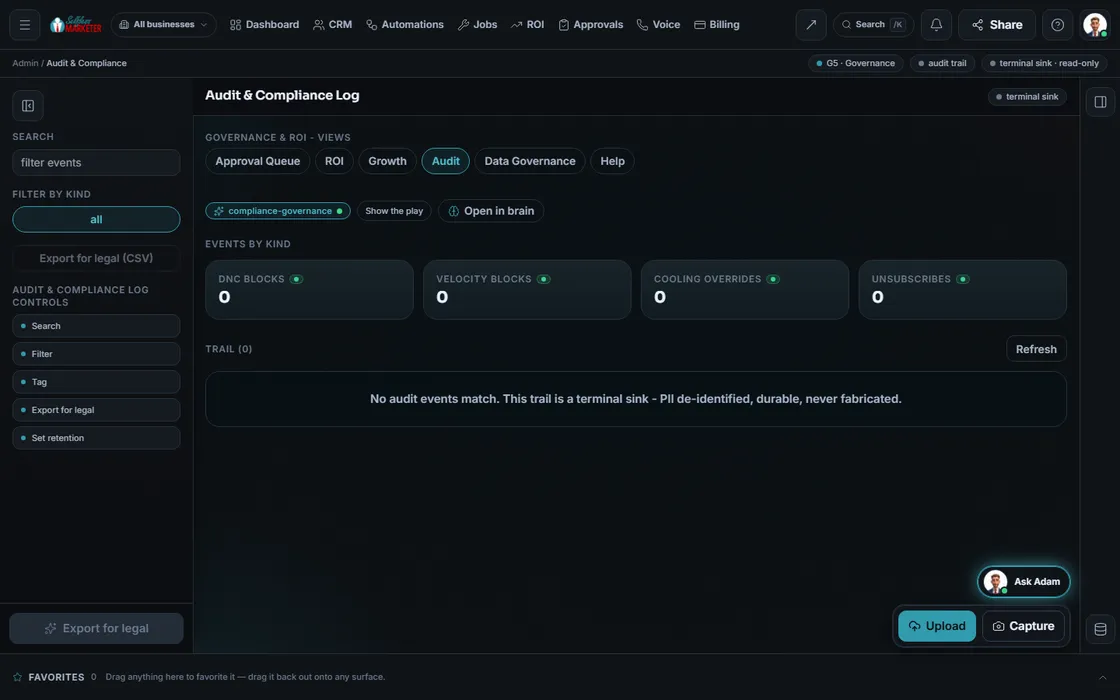 Audit & ComplianceThe audit trail, export for legal
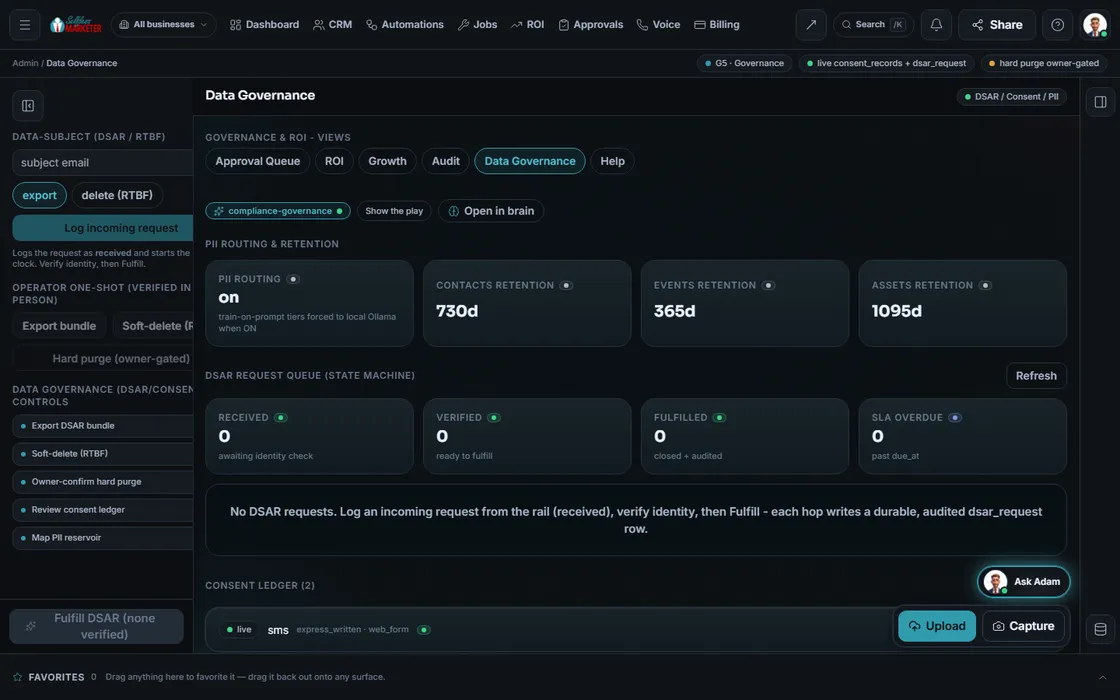 Data GovernanceConsent, data requests, suppression
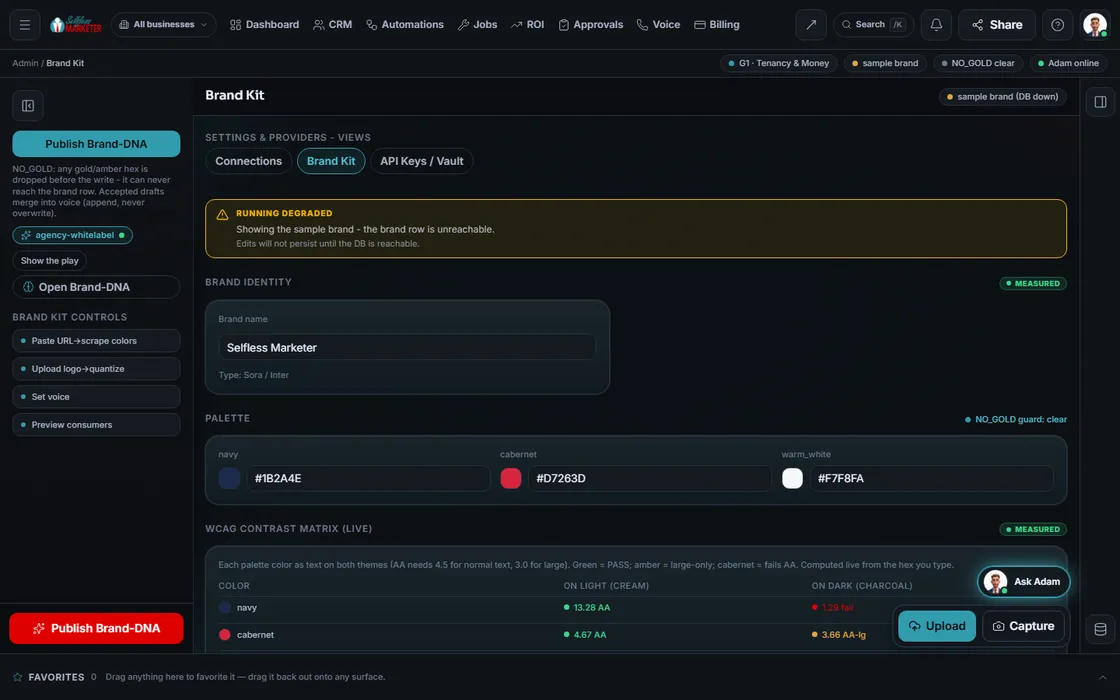 Billing, Settings & Brand KitBilling, settings, Brand Kit and keys
Questions owners ask about the back office
Does the AI talk to my customers?
Basics only: greet, take a name and reason, ring emergencies through to a real person.
What happens when I miss a call?
The rescue: a one-tap text with your booking link. Emergencies can book 1 hour out with one tap, and every missed call joins a callback queue ranked by recency. Live once your phone line is connected. See what a missed call costs.
Is it legal to text my customers?
It checks consent, keeps quiet hours (8am–9pm local) and gives every message a STOP. Any STOP, unsubscribe or do-not-call request blocks that channel. Texting goes live once your number is carrier-approved.
Can it replace my field-service software?
Not yet for every shop. It covers booking, dispatch, jobs and invoices today; estimates and memberships are coming. We'll cover your setup on a free strategy session.
Do I have to set this up myself?
On the OS, your assistant walks you through it. On Done-For-You, we review your sales process on the onboarding call and set up what makes sense.
Is my customer data safe?
Each business's records are walled off. Consent is recorded per channel, personal info is hidden in the audit log, and smart intake reads paperwork without it leaving your machine.
Keep going
Related pages
Try the OS
Our free trial is starting soon.
The same tools we use for our done-for-you clients. Our 7-day free trial is starting soon. Until then, book a call and a real person walks you through the OS. $997 a month, first month $497. No contracts.

YOUR TEAM runs it with the OS, or OUR TEAM runs it for you with Done-For-You. Not sure? Which one fits me?