







AI Automation · Approvals
Nothing goes out until you approve it.
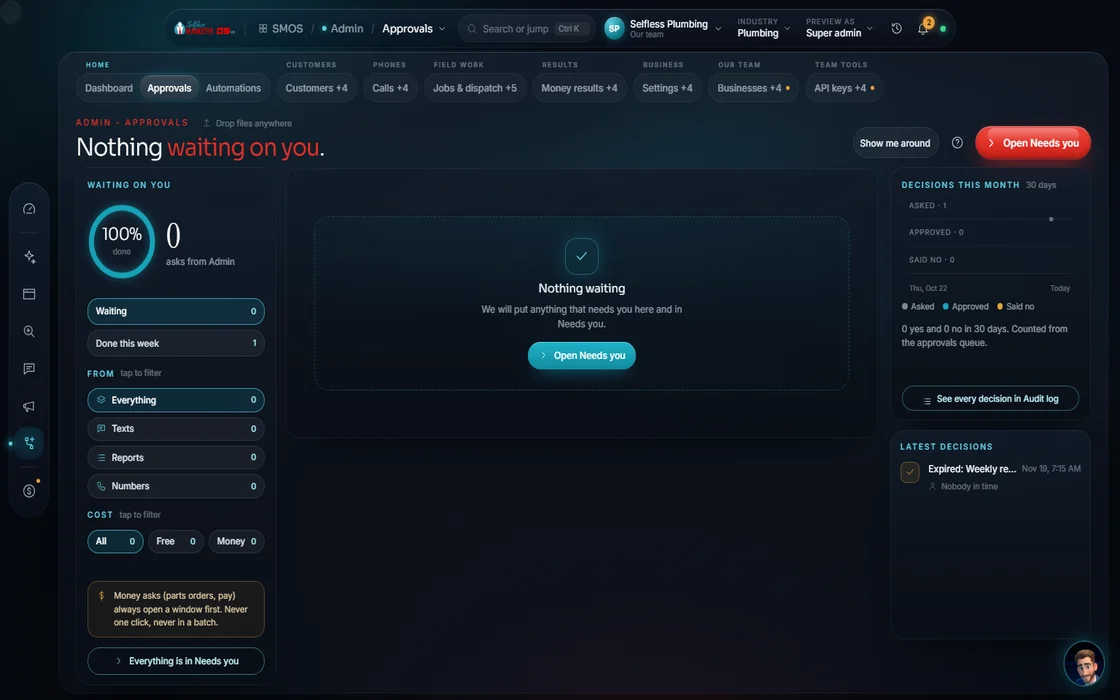
Every department drafts; only you decide. Replies, reviews, posts, follow-ups, voice campaigns and ad spend share one queue. Approve, reject with a reason, or batch-approve. Only then does it publish or spend.
 demo business
What it is
The hard stop before anything goes live
The AI fear: what if it says something dumb to my customer? Approvals answers it. Drafts from inbox, nurture, reputation, SEO, voice, social and ads land here. Approving clears a draft to publish or spend; it doesn't send.
2 guards ride along. A pace guard keeps sending to a safe daily rate. A cooling window stops hitting one person twice. Legal checks (quiet hours, consent, footers) run separately before sending.
- Filters: pending, approved, rejected, all
- A reason applies to the next approve, reject or batch; rejections should carry one
- If some items in a batch fail, the screen says which, and nothing publishes for those
Walk the queue
Clearing the queue
- 01
Open pending You
Everything waiting on you, from every department, in one pane.
- 02
Read the draft You
The exact words, the target, and the guards that checked it.
- 03
Add a reason You
Optional on approve, expected on reject. It teaches the next draft.
- 04
Approve, reject or batch Approve
One at a time or many at once.
- 05
See what happened Your assistant
"Approved 6 drafts. They may now publish or spend." (Sample) Or which ones failed and why.
Everything included
What Approvals holds
Sources
- Inbox
- Nurture
- Reputation
- SEO
- Voice
- Social
- Ads
Decisions
- Approve
- Reject
- Reason on each decision
- Pending, approved, rejected, all
- Clear report of partial failures
Guards
- Policy gate
- Pace guard: 2.5× default, 3× ceiling
- Cooling window
- Separate legal check before any send
- Durable audit trail
The rules it follows
- Review replies: Drafted by star level; posted only after approval.
- Follow-ups and outreach: Agent and outreach drafts are notify-only until approved.
- Ad spend: Launches, shifts and per-lead charges approved one at a time.
Who runs it
YOUR TEAM with the OS, or OUR TEAM for you.
- Approve or reject
- Give a reason when you say no
- Set what you're comfortable approving in bulk
- Collects every draft in one queue
- Applies the pace guard and cooling window
- Records every decision for audit
- Approves the routine items for you if you set that rule
- Leaves the rest for your OK
- Shows every decision in your dashboard
On Done-For-You, you choose which drafts the team can approve and which wait for you.
"Nothing goes out until you approve it" is an OS rule, not a setting. With Done-For-You, every approval our team makes shows in your dashboard live.
Keep going
Related pages
Try the OS
Our free trial is starting soon.
The same tools we use for our done-for-you clients. Our 7-day free trial is starting soon. Until then, book a call and a real person walks you through the OS. $997 a month, first month $497. No contracts.

YOUR TEAM runs it with the OS, or OUR TEAM runs it for you with Done-For-You. Not sure? Which one fits me?