






Your first week
7 days. Your whole online presence, in 1 place.
Your first week, day by day, on real screens. By day 7 every department has done real work for you, with every number shown. Then you decide.
 demo business
Before day 1
What to have handy
Book a call and a real person helps you get started. Log in, and Mission Control is ready on the first screen.
Day 1 goes faster with: your website address, logo, services, towns you serve, and logins for your Google Business Profile and social accounts. No website? Your assistant builds one on day 3.
Plan on about 20 minutes a day: your assistant does the heavy lifting; you answer questions and tap approve.
Day by day
Your first week, screen by screen
A suggested path, not a test. Your assistant starts where it matters most; jump to any department anytime.
- 01
Day 1 · Brand DNA and connections You
Tell your assistant about your business once (services, area, offer, words, logo, colors) or paste your website. Connect your site, Google Business Profile and socials for an honest verdict: what posts automatically, what we'll remind you to post.
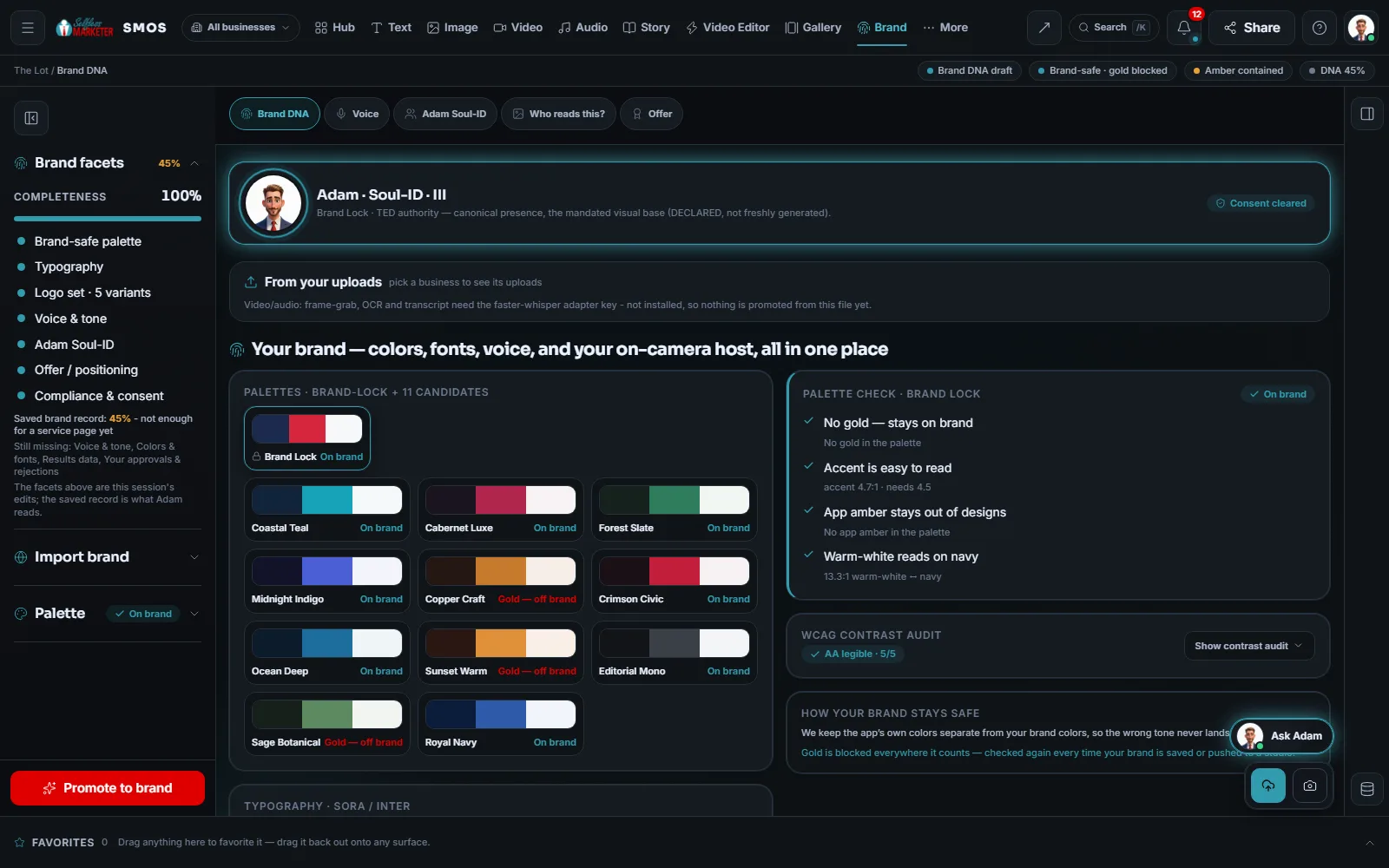 example data
- 02
Day 2 · Your Free Audit, inside the OS Your assistant
The audit checks 10 areas: website, Google profile, reviews, SEO, AI search, social, ads, listings, phones, brand. Go over your Free Audit and fix the reds that cost you the most.
example data - 03
Day 3 · Your website Free
The 14-step wizard: describe it once, pick a look, mix sections, approve the page plan; your assistant builds it free. Drafts never touch your live site.
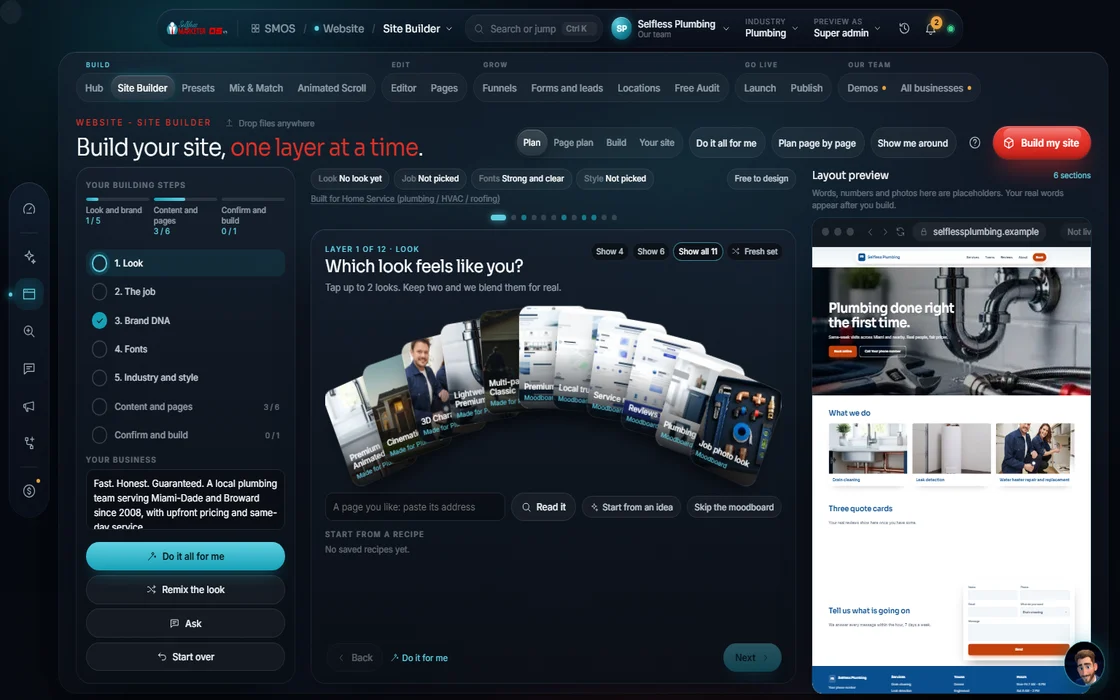 example data
- 04
Day 4 · A week of content Your assistant
“Fan it out”: one idea becomes images and a short video, plus a plan for the week's posts and email. All pass the Screening Room first.
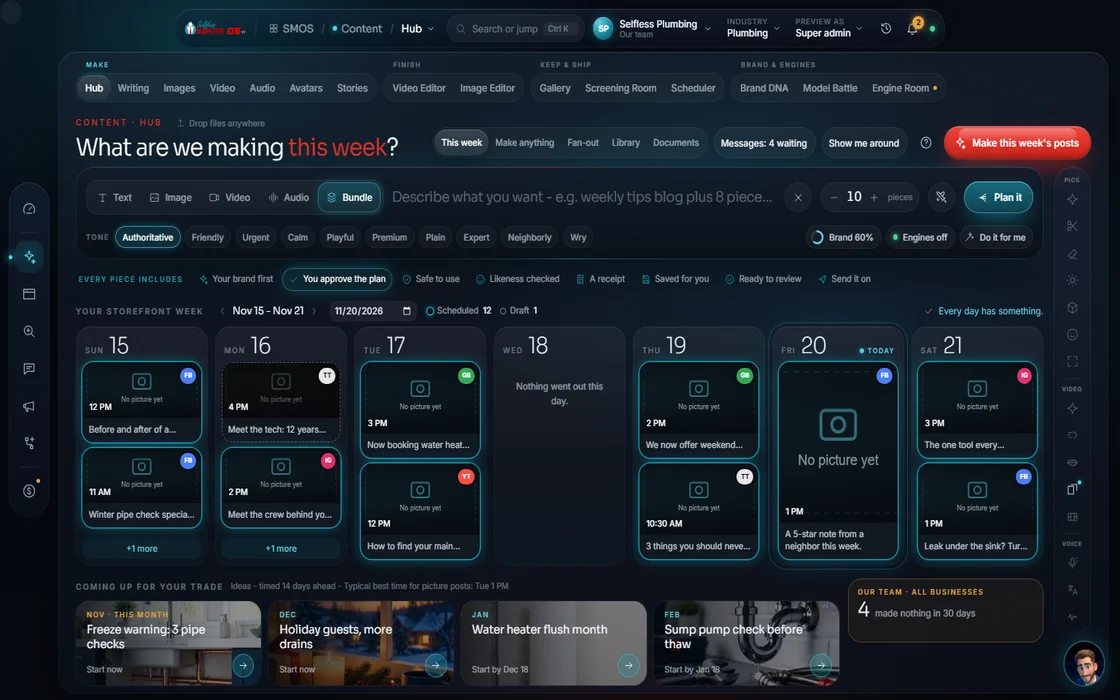 example data
- 05
Day 5 · One calendar, one approval Approve
Everything lands on one calendar. Approve the week in one pass; each post goes out at its channel's best time. Facebook is prepped for you.
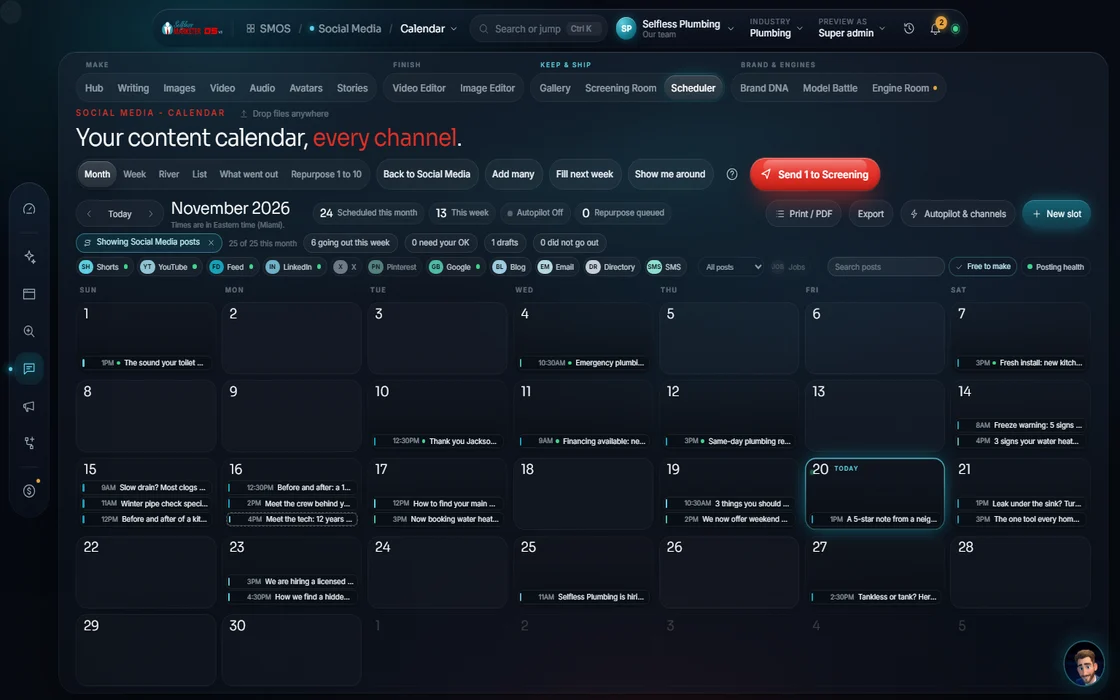 example data
- 06
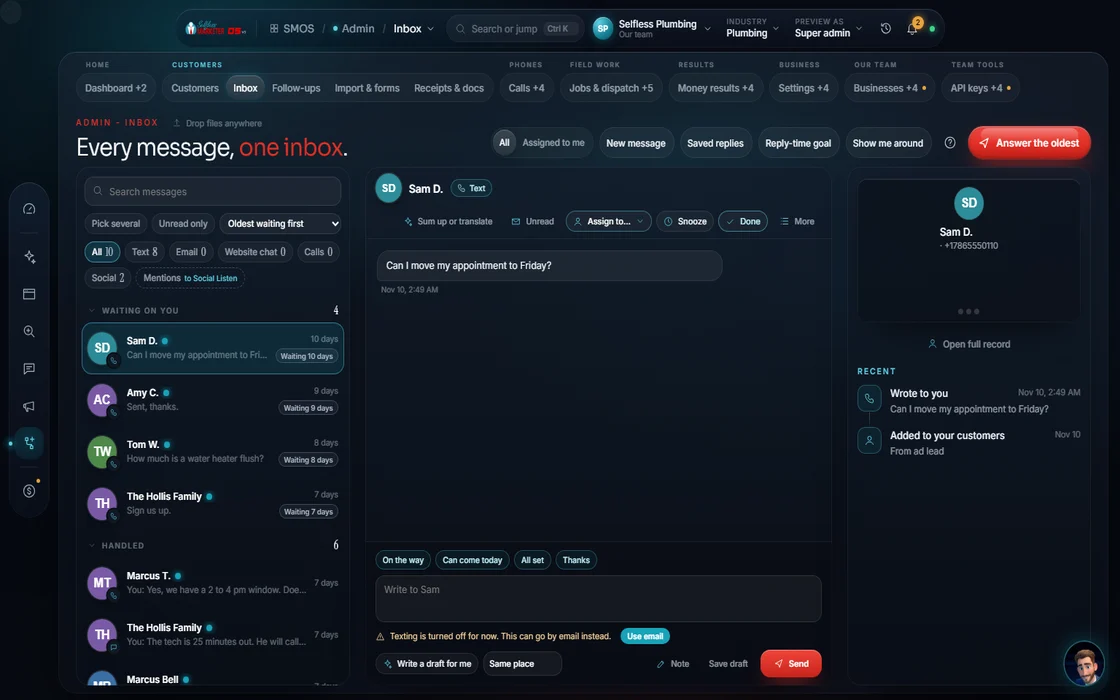
Day 6 · Never miss a lead You
Turn on missed-call text-back, the one inbox and booking. Calls and texts go live once your phone line is connected and texting is carrier-approved.
 example data
- 07
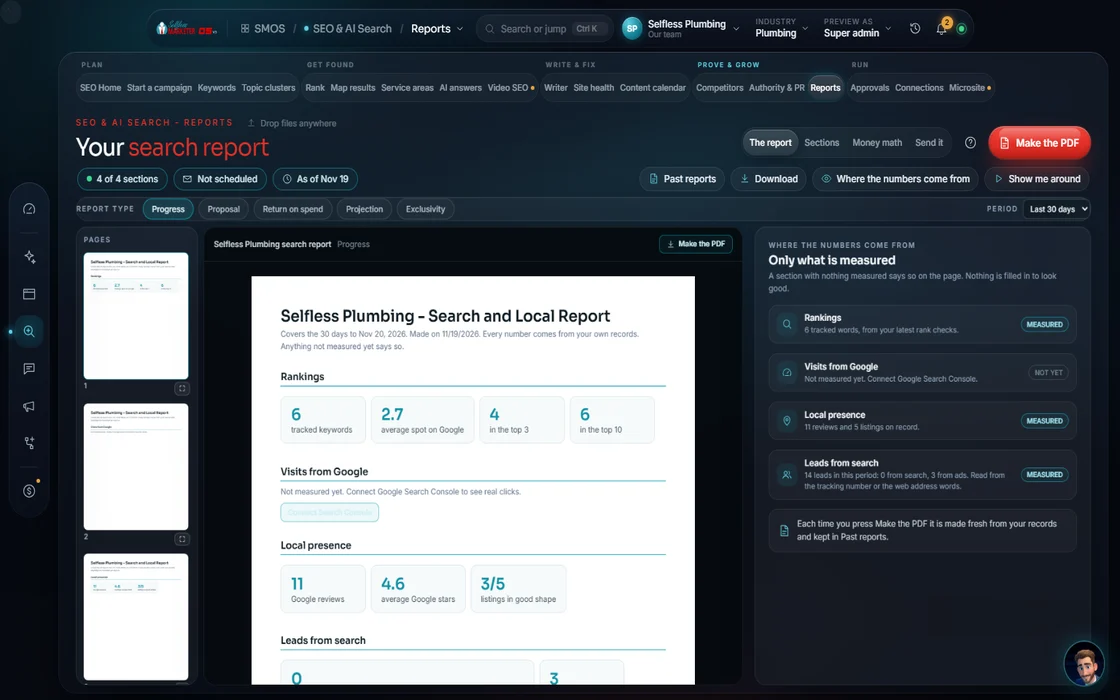
Day 7 · Your first report
Every department in one labeled report. After that: $497 your first month, then $997 a month, month to month.
 example data
By day 7
What you'll have by the end of the week
Set once. Every department now writes, designs and plans from it.
Go over your Free Audit and fix the reds that cost you the most.
Checked 24 ways and ready to publish when you are.
Posts, images, a short video and an email, approved and scheduled.
Text-back, the one inbox and booking, ready to go live with your phone line.
Every department, every number labeled Real, Estimate or Sample.
Done-For-You
On Done-For-You, your first weeks look different
Same OS, same dashboard. The difference is who does the work.
| Your OS setup | Done-For-You | |
|---|---|---|
| Who sets it up | You, with your assistant | Our team |
| Day 0 | Book a call to get started | Payment clears; your dashboard is live |
| First call | Optional Free Strategy Session | Onboarding call within 72 hours, 1–3 hours: your sales process, your tools, where we help |
| Week 1 | You walk the first week above | We fix the gaps and errors from your audit |
| Weeks 2–4 | Keep going, month to month | We set up 1 service at a time, like an assembly line, then visit you in person |
| Content | You approve what your assistant drafts | Send us photos and video; a professional on-site shoot every 3 months |
| Reports | Your reports inside the OS | Weekly reports by email and a monthly 1-hour call, as needed |
| Price | $997 a month, first month $497 | $2,497 or $4,997 a month, 1-year term, $0 up front, the OS included |
The full Done-For-You timeline, day 30 to day 90, is on your first 90 days.
Phone, texting, live booking, live payments and auto-publish are built, switching on once your phone line, carrier approval, payment keys and accounts connect. Your first week shows real work either way, and screens say which is which.
On the way
Coming soon
These are planned and are not in the software yet. We list them so you know what is next.
A scan that lists every account and listing you have.
Coming soon: V3Questions about the first week
Is there a free trial?
Yes, and it's starting soon: 7 days free. Until then, book a call and a real person walks you through the OS. After the trial, your first month is $497, then $997 a month, month to month.
What does it cost once I'm set up?
Your first month is $497, then $997 a month. Month to month; cancel anytime, no penalties.
Do I have to do the days in order?
No. It's a suggested path. Your assistant starts where it matters most; jump to any department whenever you like.
Will my live website change while I'm being set up?
Not unless you publish. Drafts never touch your live site.
Do I own what I make in the OS?
Yes. You own all the work.
Can someone walk me through it?
Yes. Book a Free Strategy Session or call (832) 356-4015. No pressure. No hard sell. No catch.
Start
Talk to us about the OS
Talk to us about the OS
Our 7-day free trial is starting soon. Leave your details and a real person calls or emails you to walk you through the OS. $997 a month, first month $497. No contracts.
Keep going
Related pages
Try the OS
Our free trial is starting soon.
The same tools we use for our done-for-you clients. Our 7-day free trial is starting soon. Until then, book a call and a real person walks you through the OS. $997 a month, first month $497. No contracts.

YOUR TEAM runs it with the OS, or OUR TEAM runs it for you with Done-For-You. Not sure? Which one fits me?