







AI Automation · Booking
Customers book themselves. Into slots you can really keep.
Booking turns your real calendar into a page customers use at 10 at night. Slots follow techs' real availability and drive times, so bookings are keepable.
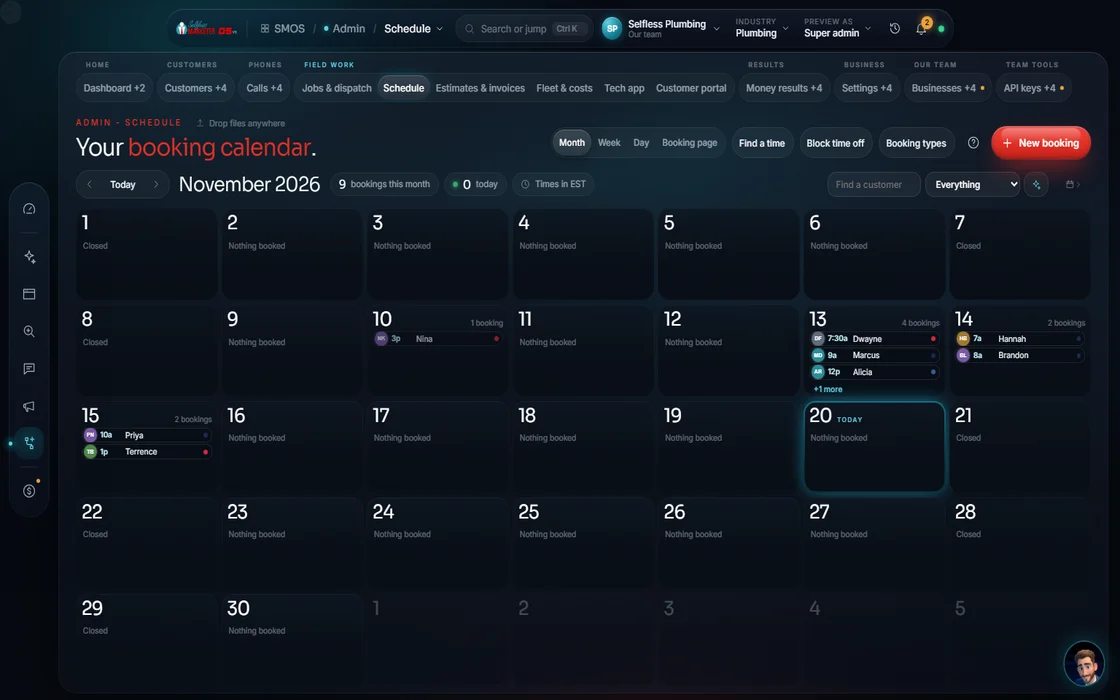 demo business
What it is
Book first, call second
Many customers would rather tap a time than call. Booking lets them, without double-booking your crew. Set event types (consult, estimate, service call, install, emergency), lengths and availability rules; the OS builds a capacity-backed slot grid.
Open times come from your calendar. Customers give name, phone and address. Automatic reminders and an online booking page are on the way.
- An ASAP / emergency option you can turn on
- Optionally require a deposit to hold the slot
Walk the designer
Designing your booking page
The public page asks one question per screen. You choose which screens appear.
- 01
Choose the steps You
Service, time slot and your details. Service and contact are recommended.
- 02
Map event types You
Each service maps to consult, estimate, service call, install or emergency, so the length is right.
- 03
Set the slot source Your assistant
Open times from your calendar.
- 04
Add the extras You
An ASAP button, a deposit, custom questions.
- 05
Write the confirmation Your assistant
The thank-you message, drafted in your voice. Edit to taste.
- 06
Publish to your site Approve
An embeddable 4-step booking widget for your website.
Everything included
What Booking holds
Scheduling
- Event types
- Availability rules
- Real slot grid
- Capacity model
- Drive-time-ranked slots
Booking page
- One question per screen
- Service, time, details
- ASAP / emergency option
- Optional deposit
- Custom questions
- Confirmation in your voice
- Embeddable 4-step widget
Reminders
- Booking confirmation email
- Text reminder
- Tech dispatch alert
- Review request
The rules it follows
- Offer times: Open times from your calendar.
- Book from a call: The receptionist and rescue texts book into the same grid.
Who runs it
YOUR TEAM with the OS, or OUR TEAM for you.
- Set hours and event types
- Approve the booking page
- Confirm each booking
- Builds real slots from your rules
- Ranks by drive time
- Sends the reminders
- Handles appointment setting for you
- Sets up event types for your services
- Puts the booking widget on your site
The public booking page goes live once your booking page is connected; until then, a live preview. With Done-For-You, we set up appointment setting.
On the way
Coming soon
These are planned and are not in the software yet. We list them so you know what is next.
Reminders go out before each booking.
Coming soon: V2Drag a booking to a new day.
Coming soon: V2Customers choose an open time on their own.
Coming soon: V3Keep going
Related pages
Try the OS
Our free trial is starting soon.
The same tools we use for our done-for-you clients. Our 7-day free trial is starting soon. Until then, book a call and a real person walks you through the OS. $997 a month, first month $497. No contracts.

YOUR TEAM runs it with the OS, or OUR TEAM runs it for you with Done-For-You. Not sure? Which one fits me?