







AI Automation · Field Ops
Know what every job really made. Revenue − labor − parts.
Busy months can still lose money. Field Ops tracks trucks, parts, routes and hours and turns them into one number per job: margin. It feeds your ROI.
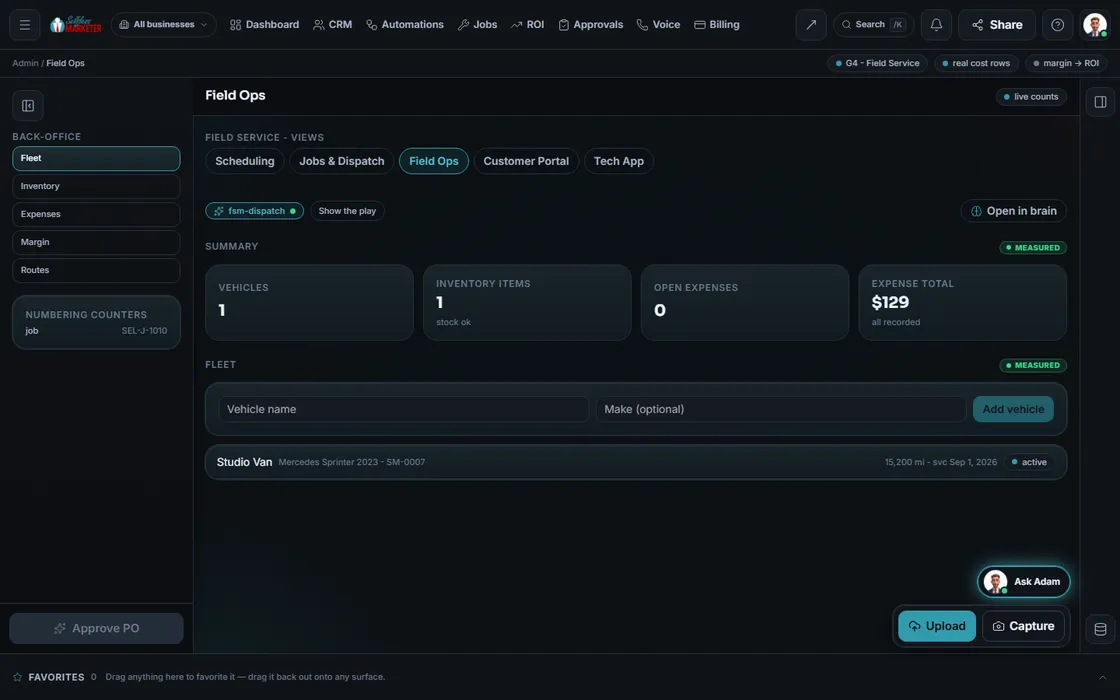 example data
What it is
The back of the shop, in one place
Trucks need service, parts run low, techs log drives and hours, usually on clipboards and in someone's head. Field Ops gives each its own list and ties costs to their job.
A job's margin is revenue minus labor minus parts, from real cost rows; none yet, it says so. Margin feeds your ROI board, exposing channels with cheap leads but thin jobs.
- Route distances from real route tracks, with live routing once connected
- Per-brand job, estimate and invoice numbering
- Tech pay, rates and counters
Walk the screens
Setting up the shop
- 01
Add your fleet You
Vehicle, plate, mileage, status, next service.
- 02
Stock the inventory You
Item, category, on hand, reorder point, unit cost.
- 03
Track routes and hours Your assistant
Started, miles, drive minutes, on-site minutes; plus timesheets.
- 04
Log expenses You
Date, category, memo, amount, status. Fuel, parts, meals, tools, other.
- 05
Read the margin Your assistant
Pick a job: revenue − labor − parts.
Everything included
What Field Ops holds
Lists
- Fleet vehicles
- Inventory
- Route tracks
- Timesheets
- Expenses
Details
- Plate, mileage, status, next service
- On hand, reorder, unit cost
- Started, miles, drive minutes, on-site minutes
- Expense categories: fuel, parts, meals, tools, other
- Tech pay and rates
- Counters for job, estimate and invoice numbers
Money
- Per-job margin: revenue − labor − parts
- Real cost rows only
- Margin feeds ROI
Who runs it
YOUR TEAM with the OS, or OUR TEAM for you.
- Keep fleet and stock lists current
- Read margin by job
- Ties costs to jobs
- Works out the margin
- Feeds margin to ROI
- Sets up the lists during onboarding
- Connects live routing
- Shows you which jobs actually pay on your monthly call
Live route maps turn on once routing and location data connect; until then, logged tracks only. With Done-For-You, we set it up with you.
On the way
Coming soon
These are planned and are not in the software yet. We list them so you know what is next.
See each tech's route from their check-ins.
Coming soon: V2Keep going
Related pages
Try the OS
Our free trial is starting soon.
The same tools we use for our done-for-you clients. Our 7-day free trial is starting soon. Until then, book a call and a real person walks you through the OS. $997 a month, first month $497. No contracts.

YOUR TEAM runs it with the OS, or OUR TEAM runs it for you with Done-For-You. Not sure? Which one fits me?