







AI Automation · Nurture Flows
Follow-up that runs on a schedule. Texting STOP ends it.
Most leads don't buy on the first call. Nurture Flows follow up by email and text on your schedule and stop the second a person answers.
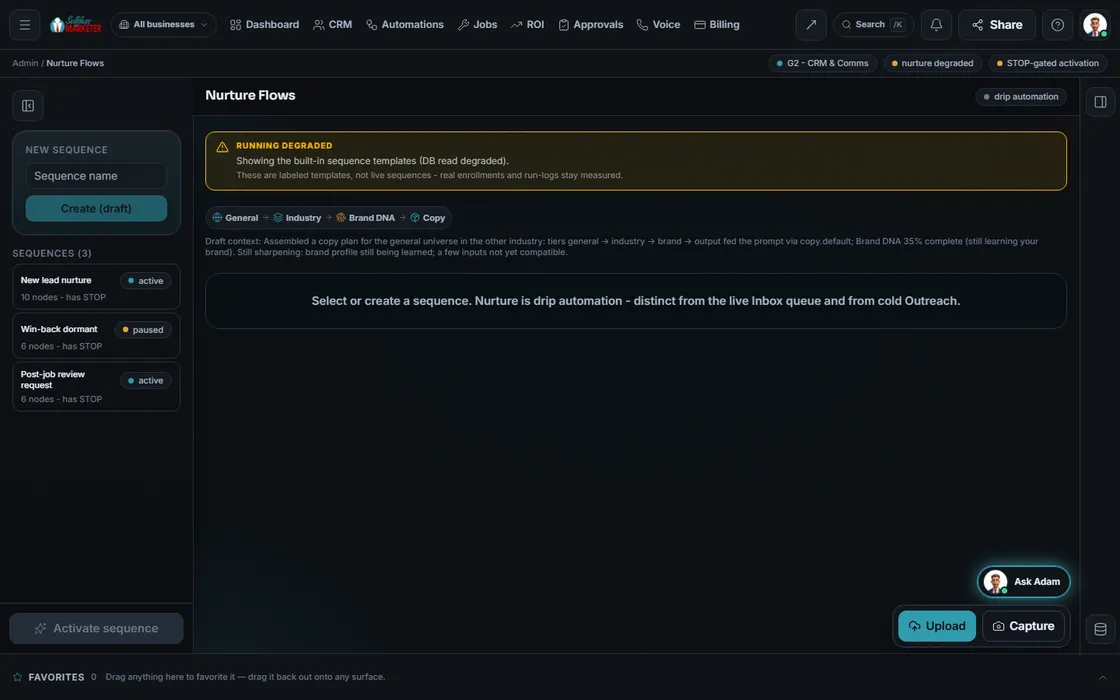 example data
What it is
The follow-up nobody has time for
You quoted. They'd think about it. Life happened. Nurture keeps you in front of them without typing: a welcome, a nudge to book, a reminder, a check-in.
Flows are drawn node by node and must end in a STOP node to turn on. Consent and quiet hours gate every send. Texting STOP ends the flow, and you can end it for anyone in one tap.
- Separate from the live inbox and from cold outreach
- Nodes colored by real run status: green sent, amber skipped, red failed
- A send with no connected channel is logged skipped, never green
Walk the canvas
Building a flow
- 01
Pick a starter You
New lead nurture, win-back for contacts quiet for 90 days, or the post-job review request.
- 02
Draw the steps You
Send email, send text, wait, add a tag, notify the owner.
- 03
Keep the STOP node Your assistant
It can't be removed. It halts the flow on a reply or an opt-out.
- 04
Enroll a contact You
One contact per flow at a time; the engine steps them through.
- 05
Turn it on Approve
Activation checks for the STOP node first.
Everything included
What Nurture holds
Nodes
- Send email
- Send text
- Wait / delay
- Branch on reply
- Branch on open
- Branch on click
- Add tag
- Notify owner
- STOP
Starters
- New lead nurture
- Win-back for quiet contacts
- Post-job review request
Run and measure
- Enroll and exit rules
- Live counts: enrolled, sent, replied, stopped (opens and clicks are not tracked yet)
- Nodes colored by real run status
- Replay of the real run log
- What-if funnel you can plan against (Estimate)
- Import and export the flow
The rules it follows
- Welcome: New lead → welcome email → wait 1 day → opened? → clicked the booking link?
- Measure: Enrolled, sent, replied and stopped, from real enrollments. Opens and clicks are not tracked yet.
Who runs it
YOUR TEAM with the OS, or OUR TEAM for you.
- Approve the wording
- Turn flows on and off
- Take over when they reply
- Steps each contact through
- Checks consent and quiet hours
- Ends on STOP
- Counts every step
- Builds your follow-up process from the onboarding call
- Writes the emails and texts in your voice
- Tunes flows from what the numbers show
Texts send once carrier approval (A2P 10DLC) clears; email once your sending domain connects. Until then sends log as skipped. Ready-made flow: Customer Reactivation. With Done-For-You, we build your follow-up.
On the way
Coming soon
These are planned and are not in the software yet. We list them so you know what is next.
Follow-ups can change based on who opened or clicked.
Coming soon: V2Change each step of a follow-up and see how many people are on it.
Coming soon: V3Keep going
Related pages
Try the OS
Our free trial is starting soon.
The same tools we use for our done-for-you clients. Our 7-day free trial is starting soon. Until then, book a call and a real person walks you through the OS. $997 a month, first month $497. No contracts.

YOUR TEAM runs it with the OS, or OUR TEAM runs it for you with Done-For-You. Not sure? Which one fits me?