








Landscaping · Social Media
Every finished yard is a post you didn't make.
Your work is outside, in public, all day. We turn crew photos into before-and-afters, seasonal pushes and short videos, fit to each platform. Just send us pictures or videos from your work and we do the rest.
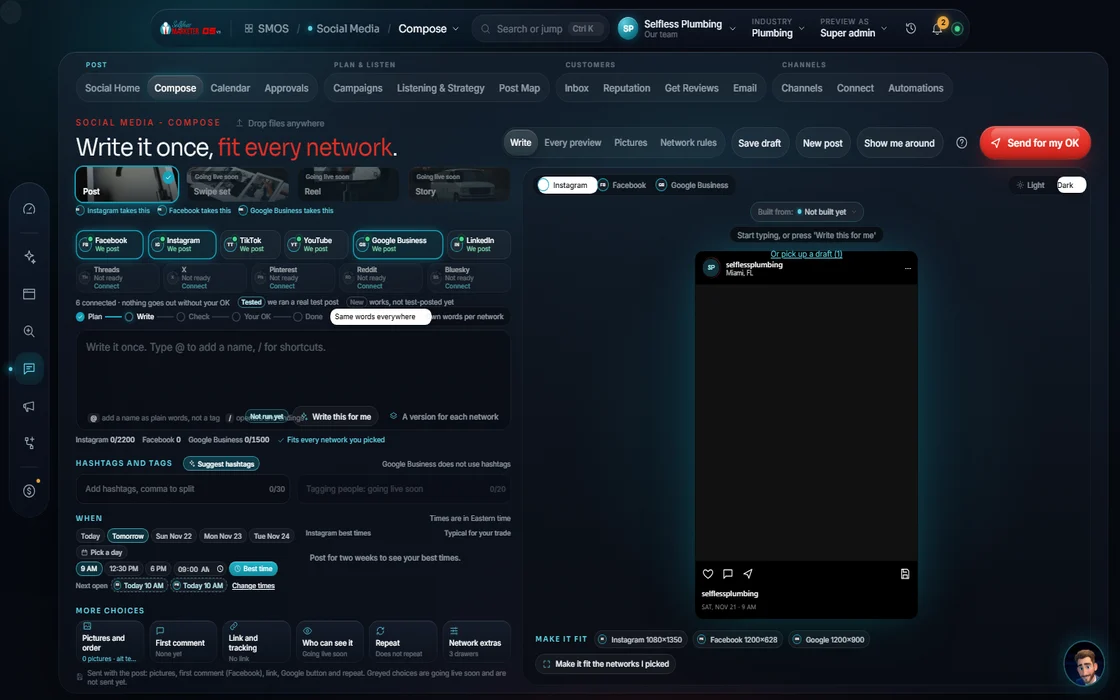 demo business
The problem
The easiest trade to show off. And one of the most under-posted.
Neighbors see your trailer, stripes and new stone patio daily. A bare yard turned patio with low-water beds and path lighting stops the scroll, yet most such jobs never go online. In our experience, 99 out of 100 local businesses under-post: once or twice a week, if that.
Landscaping runs on a calendar. Spring: start-ups and design-build consults. Summer: route density, where a customer 3 streets over beats one across town. Fall: cleanups and irrigation blow-outs. Your posts follow it, so the right offer shows a few weeks early.
It's a neighbor business. 'Who does your yard?' gets asked on Nextdoor and in local Facebook groups. Facebook reaches 71% of US adults, YouTube 84% (Pew, 2025). Steady presence there brings the next route job.
So we go all in, within limits: multiple posts a day on multiple platforms, ramped SLOWLY to the most each rewards before it reads as spam. We fish with a net, not a pole.
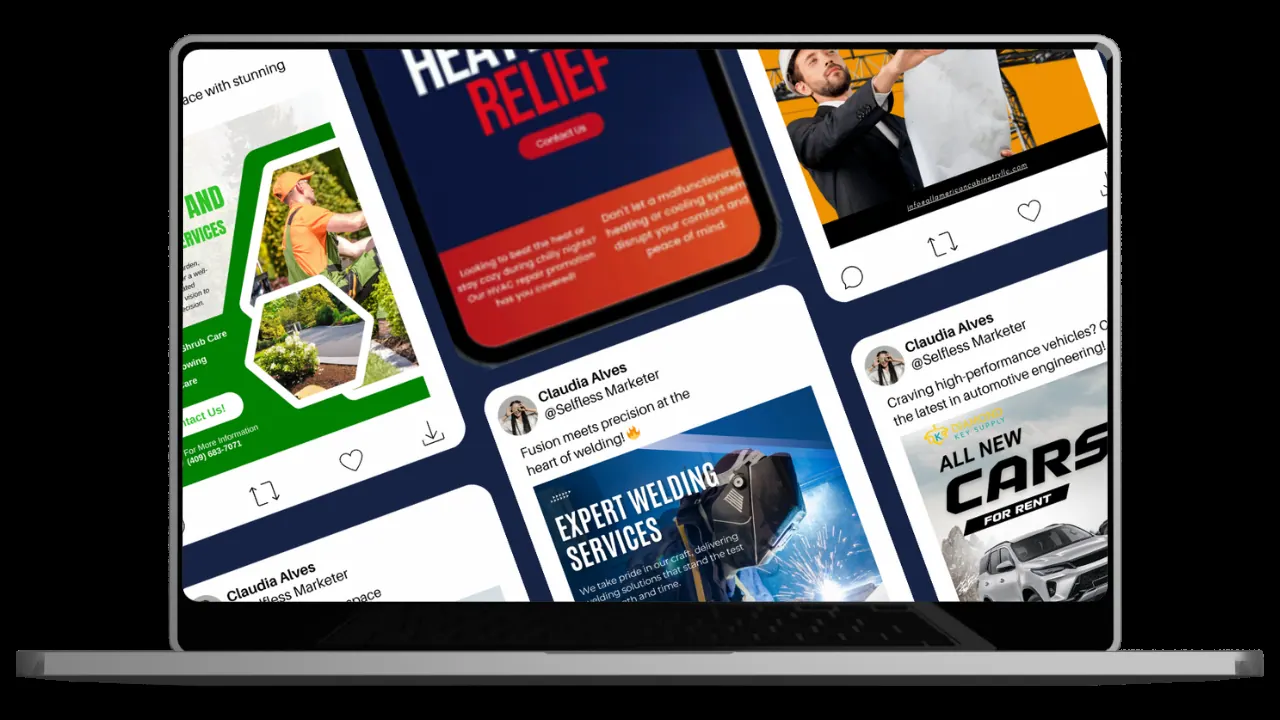 Real
How it runs
From a crew photo to a week of posts
Every post moves through the same steps in the Composer and the one calendar.
- 01
Send the photos You
Before and after shots, a quick crew clip, the finished bed. Your phone is enough.
- 02
Write it once Your assistant
Your assistant drafts the post in your voice, with the town and the scope, from your Brand DNA.
example data - 03
Tailor per platform
The variant wall rewrites it per network: a Reel, a carousel, a Facebook photo post, a Google Business Profile update, a Pinterest pin.
- 04
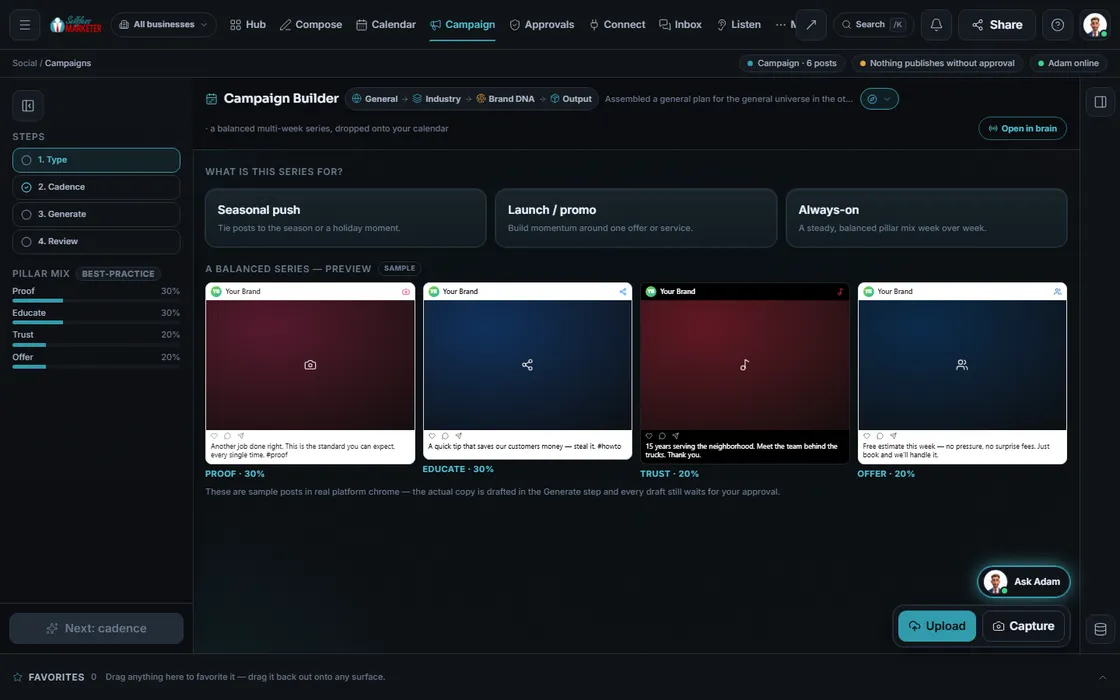
Plan the season Your assistant
Pick a seasonal push or steady mix, set cadence and length; your assistant drafts a multi-week series. Accept or reject each, and edit any you want changed.
 example data
- 05
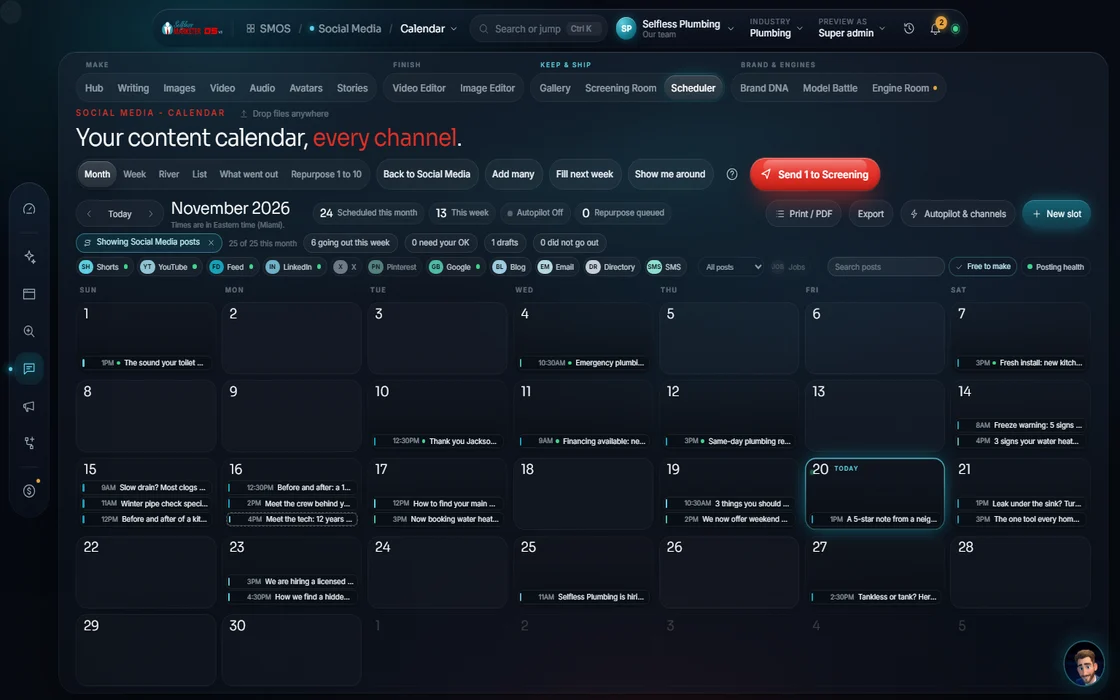
Slot it
Best-time slots from your own history where it exists, with a guard so 2 posts don't collide.
 example data
- 06
Approve Approve
Everything waits in Approvals. Bulk approve, or reject with a reason that teaches the next draft.
- 07
Publish or remind
Connected networks post on schedule. Manual ones get a ready-to-paste post and a reminder. Facebook: always prep, you publish.
Everything included
Everything it includes, in one list
The rules it follows
- Before + after: Instagram carousel up to 10 frames: frame 1 is the promise, the last frame is the call to action. 3-5 hashtags, not 30
- Short video: 9:16 Reels, Shorts and TikToks with a hook in the first 3 seconds and captions burned in
- Neighbor posts: Facebook: community benefit first, a question people want to answer, 1:1 or 4:5 photos, the link in a comment. We prep, you publish
- Map posts: Google Business Profile updates and dated offers with real deadlines, real photos never stock, no hashtags
- Design ideas: Pinterest 2:3 pins with keyword-rich titles, linked to the exact service page, not the homepage
- Grounds contracts: LinkedIn posts for HOAs and property managers, posted Tuesday to Thursday in business hours
- Answer: Every DM and comment in 1 inbox with a drafted reply. An unhappy one routes to Reputation, a lead to the CRM
- Outbound engagement: Liking and commenting on other people's and local businesses' posts. Done by hand by our team. Not in the software
- Listen: Mentions, sentiment and trending topics from real reviews and the inbox. A pillar can become a campaign
- Report: Every link carries a tag (UTM) so a booked job traces back to the post that sent it
Who runs it
YOUR TEAM with the OS, or OUR TEAM for you.
- Send photos and clips from jobs
- Approve the posts (about 20 minutes a day in the OS)
- Publish to Facebook if you run it yourself
- Answer the conversations that need a person
- Drafts every post in your voice
- Rewrites it for each platform
- Schedules at the best time, with a collision guard
- Catches every comment and DM in 1 inbox
- Tags every link so jobs trace back to posts
- Daily posts and content strategy
- Short and long-form videos
- Comment responses and DM management
- Reputation management
- Hashtag research and geotargeting
- Liking and commenting on other local posts, by hand
- Influencer shout-outs, by hand
- Quarterly on-site photo + video of your crews
On the OS you run it with your assistant. On Done-For-You our team does all of it, and you see every post in your dashboard as we do it.
Your year
The posts follow your calendar
Each season gets its own push, built in the Campaign builder and timed a few weeks ahead. You approve the plan first.
Start-ups and design-build
Irrigation start-ups, first mows and design visits for past customers and the neighborhood. See seasonal tune-up.
Fill the route
Weekly before-and-after posts, plus 'we're on your street Tuesdays' posts for neighborhoods your trucks already cover.
Cleanups and blow-outs
Leaf cleanups and irrigation blow-outs booked before the first freeze.
Plan next year
Design ideas on Pinterest, project recaps on YouTube and maintenance-plan invites. See maintenance club launch.
Done by hand
Outbound engagement shows up in your dashboard
Your Selfless Marketer team sets this up for you as part of your Done-For-You. No data yet. First update lands with your weekly report.
Next report: FridayThe team's numbers, in your weekly report, each one labeled "Measured by our team" with the date.
Measured by our team · dated weeklyComing soon. Our team runs this for Done-For-You clients. See what's included
Receipts
Here's where I show you the receipts



Real client work Graphics made by our team.
Auto-posting runs only to connected networks. Many channels are compose-and-remind: we write, you paste. Facebook: always prep, you publish; never auto-posted. Social results vary; we post no landscaping results we can't back up, so ask us on the call.
Your territory
Is a spot open for your landscaping company?
On Done-For-You we take 1 landscaping company per 30-mile radius. Once filled, we accept no other landscaper there.
Check if your territory is still available
One client per industry inside a 30-mile radius, on Done-For-You. Your industry and your ZIP; a real person checks and calls you back.
Questions
What landscapers ask about social media
How often should a landscaping company post?
More than you think. The norm is once or twice a week; we ramp slowly to multiple posts a day, up to what each platform rewards before spam. See how often to post.
I don't have time to take photos.
Your crews already take them; send them and we do the rest. On Done-For-You, we also come out every 3 months for professional photo and video.
Which platforms matter for landscapers?
Your net: Google, Nextdoor, local Facebook groups, Angi, Thumbtack and LawnStarter, then Instagram, YouTube and Pinterest. See the full landscaping net.
Do you post to Facebook for me?
In the OS, we prep the post and you publish. We never auto-post to Meta. On Done-For-You, our team handles it.
Do you use stock photos?
No. Real photos of your work. On Google Business Profile especially, real photos only, never stock.
How do I get more reviews from all this?
Social and reviews work together. See how landscapers get more reviews.
Keep going
Related pages
Dedicated to YOU
Your competitors aren't waiting.
One client per industry inside a 30-mile radius. Once a spot is filled, we no longer accept anyone from that industry and area. And if they call us first, you're locked out.

YOUR TEAM runs it with the OS, or OUR TEAM runs it for you with Done-For-You. Not sure? Which one fits me?