







Website · Launch Check
Ready to launch? A clear yes, almost or not yet.
Before launch, run a free quality check: 24 content checks in seconds, then speed, SEO and deep accessibility at publish, with real screenshots at every width. No faked passing scores.
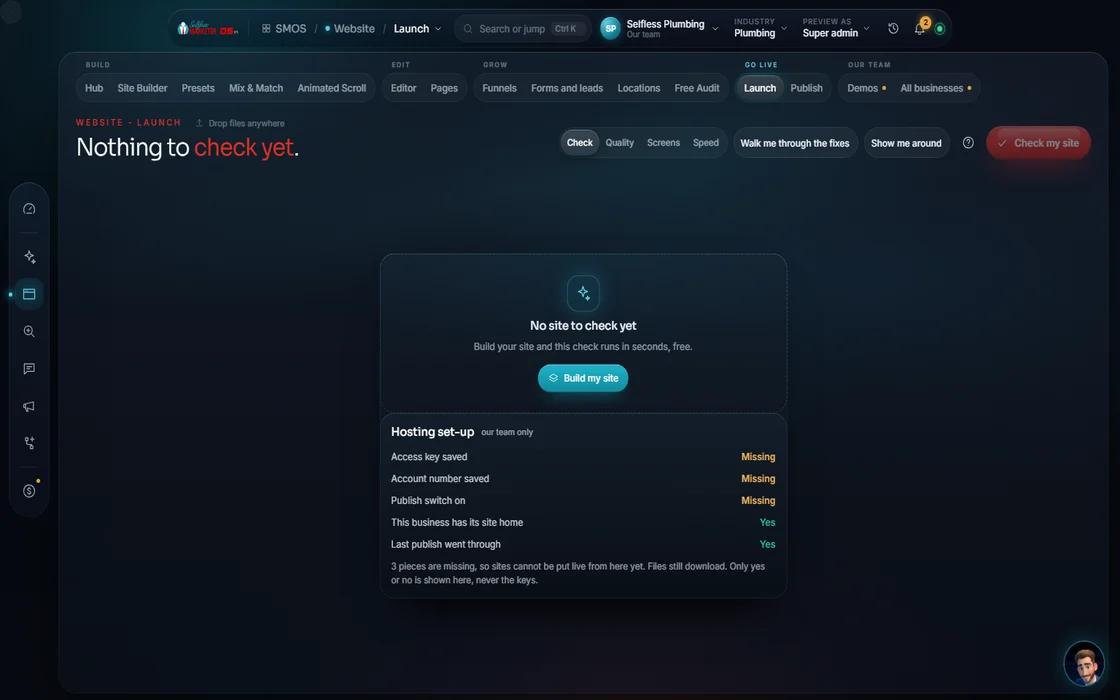 demo business
What it is
The pre-flight check every site should get
Launch Check reads your whole site first. It finds leftover filler, duplicate pages, missing buttons, weak contrast, broken images and unbacked claims, then gives a plain verdict (You're ready, Almost there or Not ready yet) and a fix list.
Most sites launch unchecked. The WebAIM Million found accessibility failures on 95.9% of the top 1 million home pages, mostly low-contrast text (WebAIM, 2026). Federal accessibility lawsuits hit 3,117 in 2025 (Seyfarth ADA Title III). A pre-launch check is cheap; a post-demand-letter fix isn't.
For every site the OS builds, every change, and every owner who wants proof the site is ready, not a promise.
Walk it
From “is it ready?” to a verdict in 5 steps
- 01
A free quality check Free
Press check. The content checks run in seconds and cost nothing.
example data - 02
Pick what to check
Turn check groups on or off in the panel. A check that's off says so.
- 03
A clear answer
Ready, almost or not yet. No guesswork.
- 04
See your site
Real screenshots of your site on desktop, tablet and phone.
- 05
Fix it in the Editor Your assistant
Tap any problem to see what to fix, then fix it in the Editor and check again.
Everything included
Everything in Launch Check
Content checks (free, instant)
- Placeholder & filler
- Copy distinctness
- Structure & CTA
- Design & contrast
- Media & imagery
- Honesty & facts
At publish
- Speed & SEO
- Deep accessibility
- Scores fill in from your live site
Results
- You're ready to launch
- Almost there: things to polish
- Not ready yet: fix these first
- Real screenshots: desktop, tablet, phone
- Fix it in the Editor
- Turn any check on or off
The rules it follows
- No filler: Flags leftover sample text and empty spots before a visitor sees them.
- No copy-paste: Flags pages that read the same, the doorway-page problem.
- A clear next step: Checks headings and that each page has a clear action.
- Easy to read: Checks text against its background, the most common failure on the web.
- Pictures that work: Checks the photos and media on every page, so nothing shows up broken or blank.
- Only true claims: Flags numbers and promises with no source behind them.
- Fast and findable: Runs on your served site at publish. Never shown as passing before then.
- Usable by everyone: Runs at publish on the live pages, in the source, never with an overlay.
The engines behind it
- axe: Accessibility rules (local, $0)
- pa11y: A second accessibility pass (local, $0)
- Playwright: Real screenshots at every width (local, $0)
- See every engine in this group
Who runs it
YOUR TEAM with the OS, or OUR TEAM for you.
- Run the check before you publish
- Read the fix list
- Approve the fixes
- Runs 24 content checks for free
- Shoots real screenshots
- Fixes problems with you
- Page speed work
- Accessibility fixes in the source
- Runs the check on every change we make
The content check runs offline, free. Speed and accessibility need a served site, so they fill in at publish. No faked passing scores. Outside numbers name their source and are labeled Real.
On the way
Coming soon
These are planned and are not in the software yet. We list them so you know what is next.
Checks your site for common accessibility problems before launch.
Coming soon: V2Keep going
Related pages
Try the OS
Our free trial is starting soon.
The same tools we use for our done-for-you clients. Our 7-day free trial is starting soon. Until then, book a call and a real person walks you through the OS. $997 a month, first month $497. No contracts.

YOUR TEAM runs it with the OS, or OUR TEAM runs it for you with Done-For-You. Not sure? Which one fits me?