







Website · Editor
Click any section and change it. Or just tell your assistant.
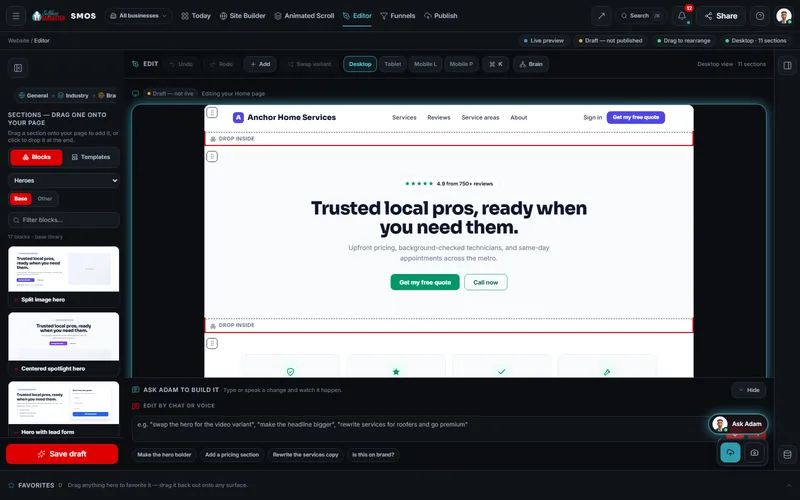
A live preview of your real page. Click to edit text, colors or layout, drag sections in, or type or say a change. Saves are private drafts; your live site stays untouched.
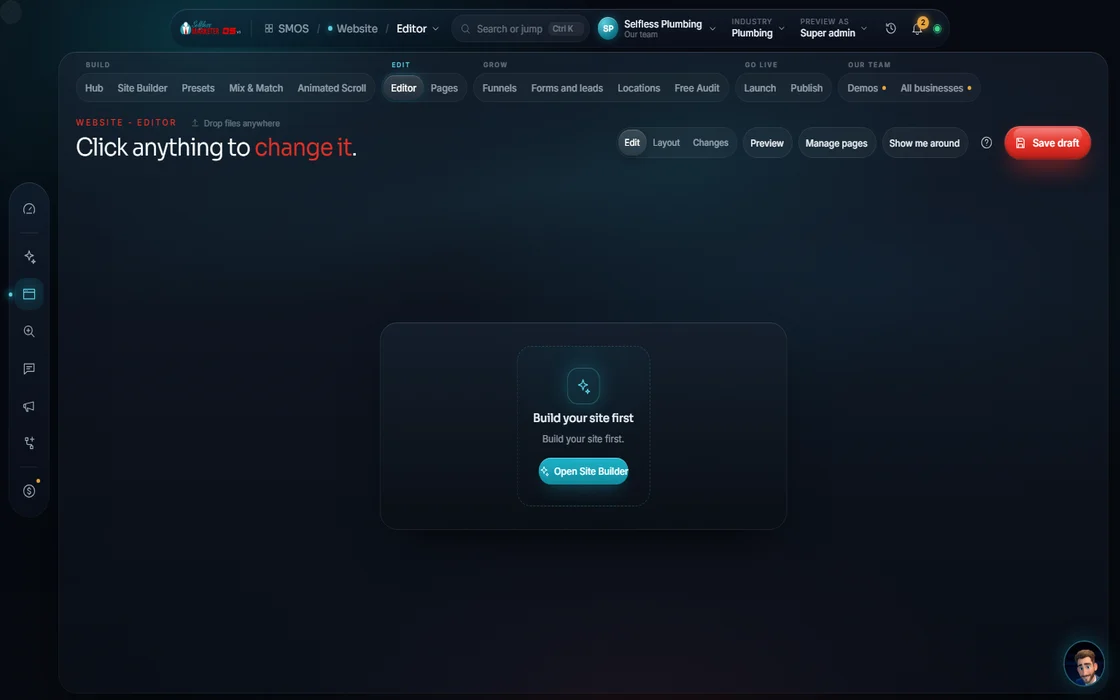 demo business
What it is
Changes in minutes, not a week
The Editor shows your page as visitors see it. Click a section to edit words, colors or layout, or drag one in. Or tell your assistant: “make the hero bolder”, “add a pricing section”, “rewrite the services copy”.
It fixes the oldest website problem: email your web person, wait a week, get the wrong change. Here you make it, check phone and desktop and keep a draft until it's right.
For owners fixing a phone number tonight, managers updating specials and anyone who'd rather talk than click.
 example data
Walk it
The Editor in 5 steps
- 01
This is your live site
What you see is exactly what visitors get.
example data - 02
Click to edit You
Click a section to edit its text, colors or layout. Move, duplicate or restyle it.
- 03
Drag in a section
Drag a section from the palette onto your page, or click to drop it at the end.
- 04
Or just tell your assistant Your assistant
Type or speak a change and watch it happen. Ask “Is this on brand?” for a second opinion.
- 05
Check every screen, save anytime Free
Flip between desktop, tablet and phone. Save a private draft or a named version to return to.
Everything included
Everything in the Editor
Editing
- Click any section to select
- Edit text, colors, layout
- Drag to rearrange
- Duplicate (Ctrl+D)
- Swap a section's variant
- Insert: hero with form
- Insert: CTA banner
- Undo (Ctrl+Z) and redo (Ctrl+Shift+Z)
Section palette
- Classic nav
- Feature trio
- 3-column testimonials
- Column footer
Your assistant
- Type or speak a change
- Make the hero bolder
- Add a pricing section
- Rewrite the services copy
- Is this on brand?
- Retheme this section
Picture edits (at build)
- Re-light to your brand mood
- Background swap
- Style transfer
- Generate B-roll
- Product mockup
Saving
- Desktop, tablet, phone views
- Private drafts
- Named revisions
- Save as a style preset
The rules it follows
- Edit text: Free and instant, on brand, edited in place.
- Talk it through: Plain words, typed or spoken. He shows the change on the page.
- Fix the pictures: Run at build once an image or video engine is connected, behind the cost gate.
- Keep every version: Every edit branches a new version. The old one is never overwritten, so any version comes back.
- Check every screen: One tap to see each width before you save.
Who runs it
YOUR TEAM with the OS, or OUR TEAM for you.
- Make quick changes yourself
- Tell your assistant the bigger ones
- Publish when it's right
- Shows the change live
- Keeps every version
- Checks if it's on brand
- Unlimited updates with Done-For-You
- Bigger redesigns and new sections
- Copy and graphics for any change
Text edits are free and instant. Picture edits (re-light, background swap, B-roll) run at build once an image or video engine connects; paid engines always ask first.
On the way
Coming soon
These are planned and are not in the software yet. We list them so you know what is next.
Leave notes right on the page you are editing.
Coming soon: V2A second helper reviews your site and suggests fixes.
Coming soon: V2See your whole site while you edit, with tools in floating panels.
Coming soon: V2Put pictures from your Gallery straight onto your site.
Coming soon: V3Keep going
Related pages
Try the OS
Our free trial is starting soon.
The same tools we use for our done-for-you clients. Our 7-day free trial is starting soon. Until then, book a call and a real person walks you through the OS. $997 a month, first month $497. No contracts.

YOUR TEAM runs it with the OS, or OUR TEAM runs it for you with Done-For-You. Not sure? Which one fits me?