







Website · Site Builder
Describe your business once. Get a complete, ready-to-run website.
Not a brochure. A 54+ page site with owner admin, customer portal and technician app, built with your assistant and checked against our live plumbing site.
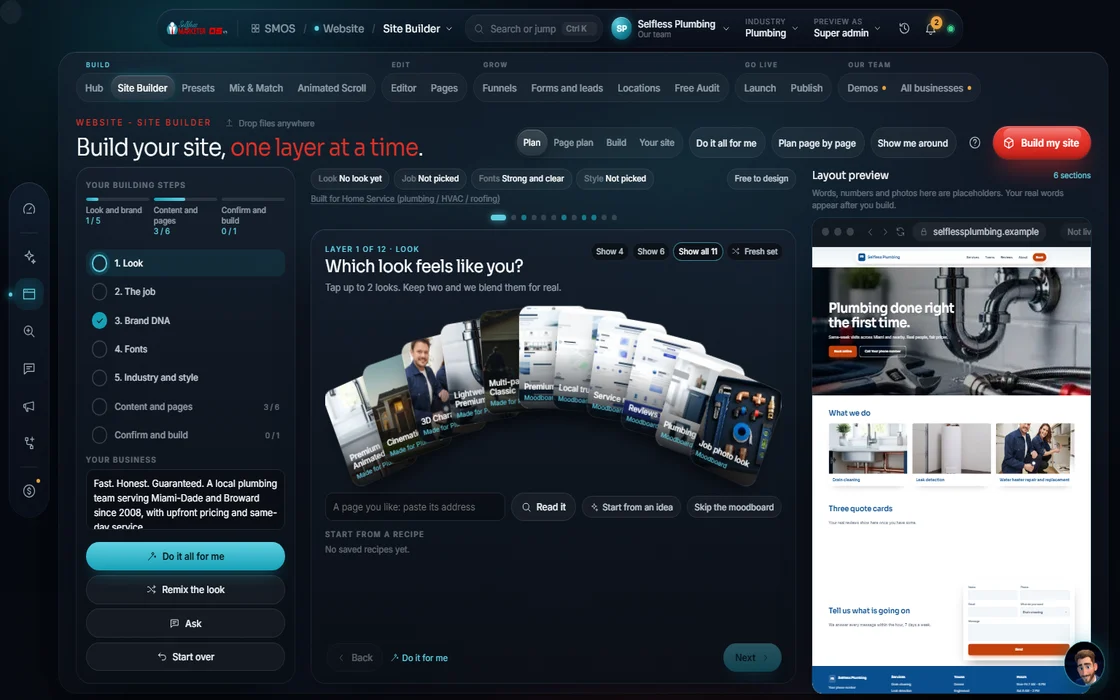 demo business
What it is
A business-in-a-box, not a brochure
Your website starts here. Tell your assistant about your business or paste your current site for it to read. Then step through look, brand, fonts, pages, sections and contact; the preview repaints as you choose.
Most local sites are 5 pages and a contact form: fine-looking, low-impact. Our live plumbing site is the floor, not the goal. Every site we build has to beat it.
For owners starting fresh, owners stuck with a site they can't change and anyone wanting a site that runs part of the business.
- Public site: your live, search-ready website
- Admin dashboard: run your business (CRM, jobs, invoices, inbox)
- Client Portal: where your customers view work and pay
- Field-Tech app: a field app for your crew on the job
Watch it work
14 steps in 3 stages, one screen at a time
Look & brand → Content & pages → Confirm & build. Simple by default, full control on tap. Each layer deepens in place.
- 01
Start with your business Your assistant
Tell your assistant about it or paste your site. Pick local business (city + radius) or online business (buyer keywords).
- 02
What are we building?
Full multi-page, single page or lead page. Then pick a visual direction from real previews.
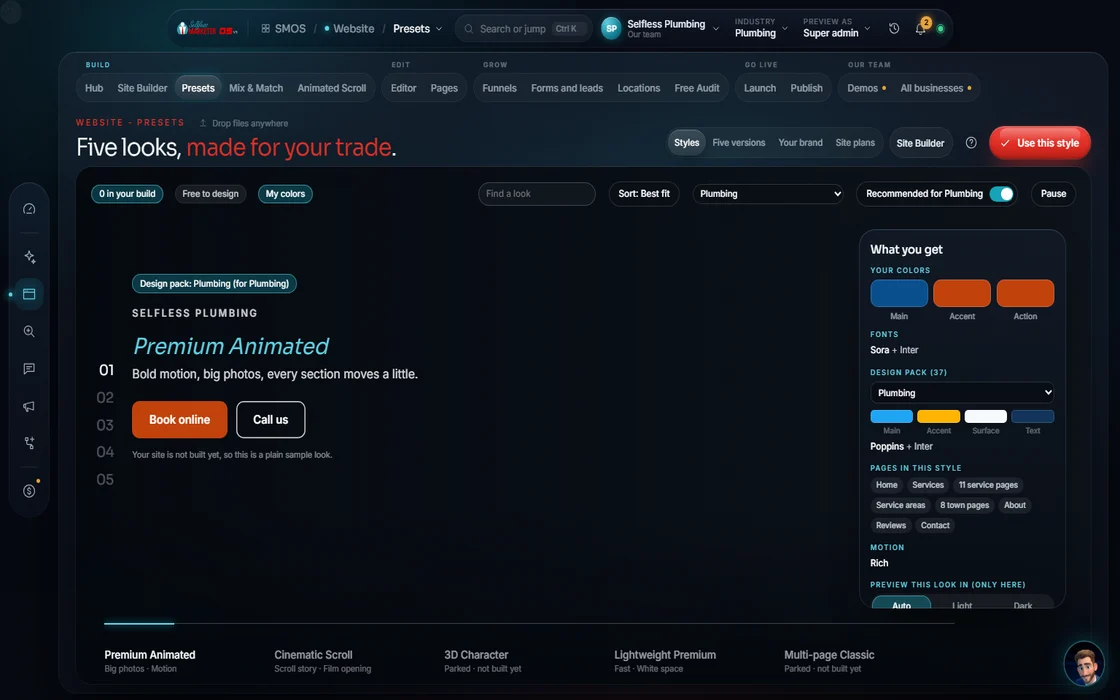 example data
- 03
Brand and fonts
Link or logo → palette, with a brand-color guard and contrast check. Heading and body fonts come pre-paired.
- 04
Industry, tone and pages
Industry, tone, persona and language. Then pages: home, one per service, service areas, landing, contact & book. Density: Lean, Balanced or Rich.
- 05
Header and Mix & Match
8 header shapes, then the block basket: heroes, proof, features, pricing, FAQ, footers and 10 conversion blocks.
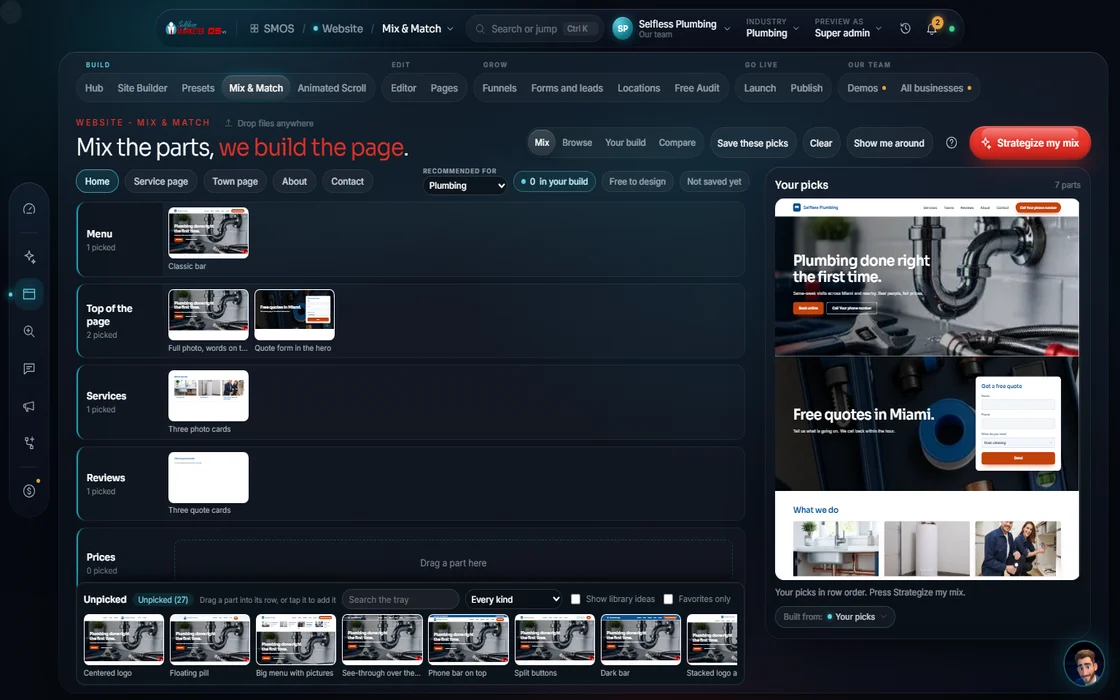 example data
- 06
How people reach you
Booking, quote or call. Every form you add is a lead that lands in your CRM.
- 07
Confirm your sitemap Approve
The editable gate. Rename, reorder or drop any page before anything is built.
- 08
Build Free
Free. Nothing shows as done until it's really finished. Then the launch check and Publish.
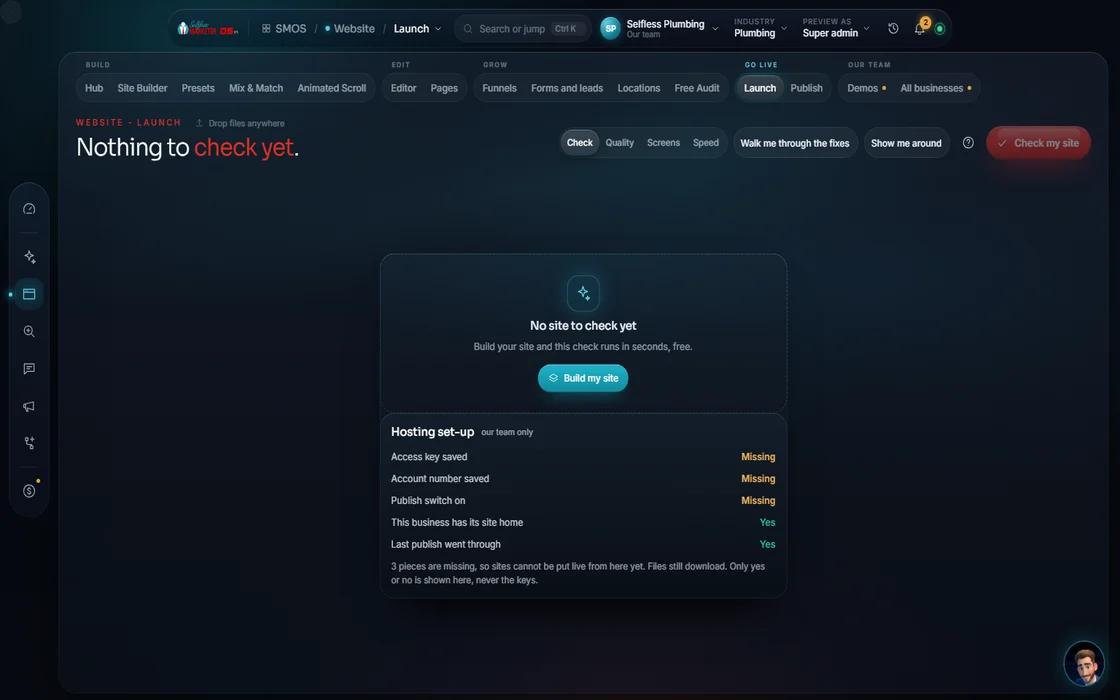 example data
Everything included
Everything in the Site Builder
Choices
- Local (city + radius) or online (buyer keywords)
- Full multi-page · single page · lead page
- 8 header shapes
- Imagery: photographic, illustrated, 3D render, gradient, duotone, line-art
The block basket
- Heroes: 6
- Proof: 6
- Features: 6
- Pricing: 5
- FAQ: 4
- Footers: 5
- Conversion: 10 (booking form, lead form, callback, estimate, call button, phone card, financing, booking slots, contact + map, trust/guarantee)
The minimum bar
- 54+ front views
- 3 back-office apps
- 13 data types that really save
- Role-based logins
- Anything simulated is labeled
The rules it follows
- Read what you have: Your assistant reads your old site and carries over what's real. Missing details show a sample placeholder, never a made-up fact.
- Plan the pages: Home (~16 sections), services index, a full page per service, service-area and city pages, gallery, about, reviews, plans, 4-step booking, contact and emergency, careers, legal, 404.
- Theme it: Your colors, fonts and voice on every page, with the contrast checked.
- Make it convert: One promise, one action. Fewer fields. A trust row under the button. No carousel. Real numbers only. No fake “most popular”.
- Edit any section: Rewrite text for free. Re-light imagery, swap a background or add B-roll at build. Every edit is a new version; nothing is overwritten.
The engines behind it
- Claude: Writes and rewrites your page copy in your voice (owned seat)
- BiRefNet: Background swap at build, never generative (free engine, $0)
- IC-Light: Re-lights section imagery to your brand mood (free engine, $0)
- Playwright: Real screenshots of your build at every width (local, $0)
- Cloudflare: Domain and fast hosting when you publish (metered, asks first)
- See every engine in this group
Who runs it
YOUR TEAM with the OS, or OUR TEAM for you.
- Describe your business or paste your site
- Pick a look
- Approve the sitemap and the launch
- Reads your old site
- Plans your pages; on Done-For-You our team builds the 3 apps
- Themes to your Brand DNA and checks quality
- Custom design, copy and logo
- Landing pages and sales funnels
- Premium hosting and unlimited updates
- SSL, speed, backups, live chat and conversion tools
Proof
Walk through the floor yourself
Building is free in the OS. Admin, Client Portal and Field-Tech apps switch on at publish; payments once your payment keys are connected. On Done-For-You, our team builds it.
On the way
Coming soon
These are planned and are not in the software yet. We list them so you know what is next.
Your topic tree shapes your site pages.
Coming soon: V2Pick parts you like and it blends them into one clean site.
Coming soon: V2See your home page and the full plan first, then build the rest.
Coming soon: V2Choose a full site, a landing page or a funnel, then fine-tune each page.
Coming soon: V2Search results suggest changes to your pages. You approve each one.
Coming soon: V2Show your real reviews, word for word, on your website.
Coming soon: V2See your site, admin, customer portal and tech app before you publish.
Coming soon: V2See your home page in five styles and blend the parts you like.
Coming soon: V3Keep going
Related pages
Try the OS
Our free trial is starting soon.
The same tools we use for our done-for-you clients. Our 7-day free trial is starting soon. Until then, book a call and a real person walks you through the OS. $997 a month, first month $497. No contracts.

YOUR TEAM runs it with the OS, or OUR TEAM runs it for you with Done-For-You. Not sure? Which one fits me?